Hostel management
Hostel Management Software: Features and How to Choose
· 9 min read
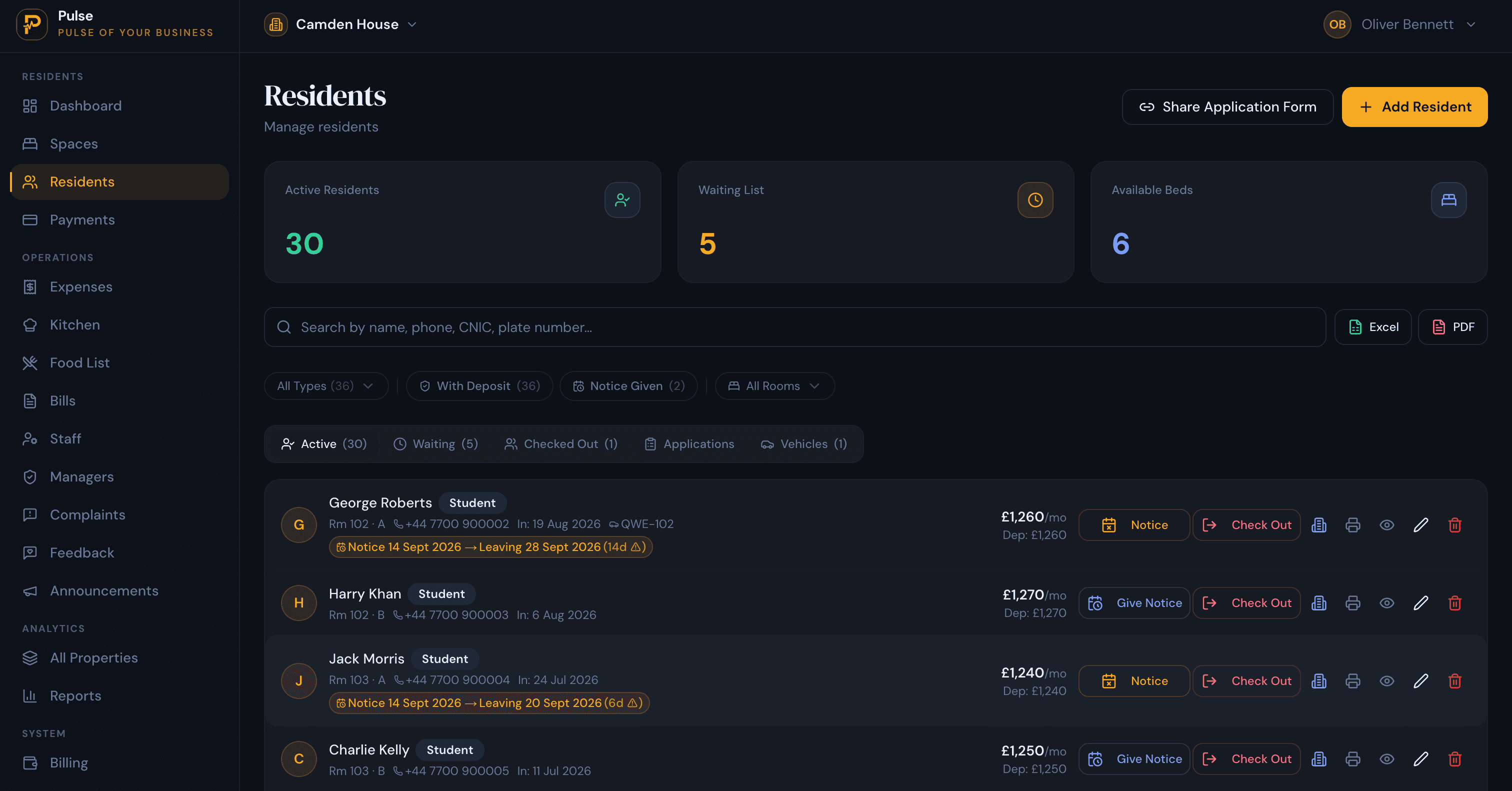
If you run a hostel where people stay for months rather than nights, hostel management software is the tool that holds the whole operation together: who sleeps in each bed, what they owe, which beds are free, and the running jobs like meals, bills and repairs. It works for one hostel or a dozen, from a single login.
One distinction clears up most of the confusion around the word. A hostel can be two very different businesses. A backpacker or tourist hostel sells beds by the night and lives on booking channels. A residential hostel houses students, workers or long-stay tenants who pay by the month and stay for a term, a contract or longer. The two run on different numbers and need different software. This guide is about the residential kind.
What follows is what the software does, how it differs from a booking system and from spreadsheets, and how to pick one that matches the way you let beds.
What is hostel management software?
At its core, the software replaces the clipboard, the rent diary and the group chat. Every bed either has a current resident or sits empty. Every resident has a rent amount, a deposit and a move-in date. The admin that used to live in your head, and in three different places, lives in one record instead.
A hostel is not a block of flats, and that is the whole point. You let individual beds, often several to a room, each to a different person on their own terms. Software made for this has to understand rooms and beds rather than whole units, so a single bed can be allocated, billed and tracked on its own. PulseHub is organised around property, building, floor, room and bed for exactly that reason.
Residential hostels go by many names: student halls, worker or staff hostels, paying guest (PG) accommodation in India, or boarding houses elsewhere. The day-to-day work barely changes between them, which is why one system can serve them all. For the broader category this sits inside, see our guide to the accommodation management system.
Hostel management software vs hostel booking systems
This is the comparison that trips operators up, because both deal with beds. What really separates them is how long people stay, and the rest follows from that. A booking system is tuned for nightly guests and the channels that deliver them. A management system is tuned for residents who pay rent month after month.
| Aspect | Booking software (backpacker) | Management software (residential) |
|---|---|---|
| Core job | Nightly reservations and availability | Beds let by the month on a tenancy |
| Who stays | Short-stay travellers | Residents on monthly rent: students, workers, tenants |
| Billing | Nightly rates, folios, channel commissions | Monthly rent, deposits, part-payments, meals and utilities |
| Finding occupants | Booking channels and OTAs | Your own listing page and a waiting list |
| Occupancy | Nightly calendar, high churn | Month to month, with notice periods and empty beds to re-let |
| Best fit | Backpacker and tourist hostels | Student, worker, PG and residential hostels |
The quick test: price by the night and depend on booking sites, and you want a booking system. Sign residents onto monthly rent, hold deposits and chase part-payments, and you want hostel management software. PulseHub is the second kind.
Who uses hostel management software?
It fits any operator housing people for months rather than nights:
- Student hostels and halls, run by colleges or private operators across the academic year. See our guide to student accommodation management.
- Paying guest (PG) accommodation, common in India, letting beds with rent, meals and deposits.
- Staff and worker hostels, housing employees on one or more sites.
- Boarding houses and other long-stay shared accommodation.
- Operators with several hostels who have outgrown a spreadsheet but do not want heavyweight enterprise software.
The product follows the local market. PulseHub has regional versions, for example for India, the Philippines, Pakistan and the UK, each with pricing in the local currency and the payment methods operators there actually use.
Essential features of hostel management software
Product labels vary, but a hostel system worth paying for should cover the jobs below. Here is what each looks like in practice, and how PulseHub handles it.
Bed-level allocation
The first thing to check is whether the software can let a single bed, not just a whole room. In a four-bed dorm you might fill the beds with four residents on four different move-in dates and four different rents. PulseHub lets you allocate bed by bed and shows how each room is filling as people arrive and leave.
Resident records and onboarding
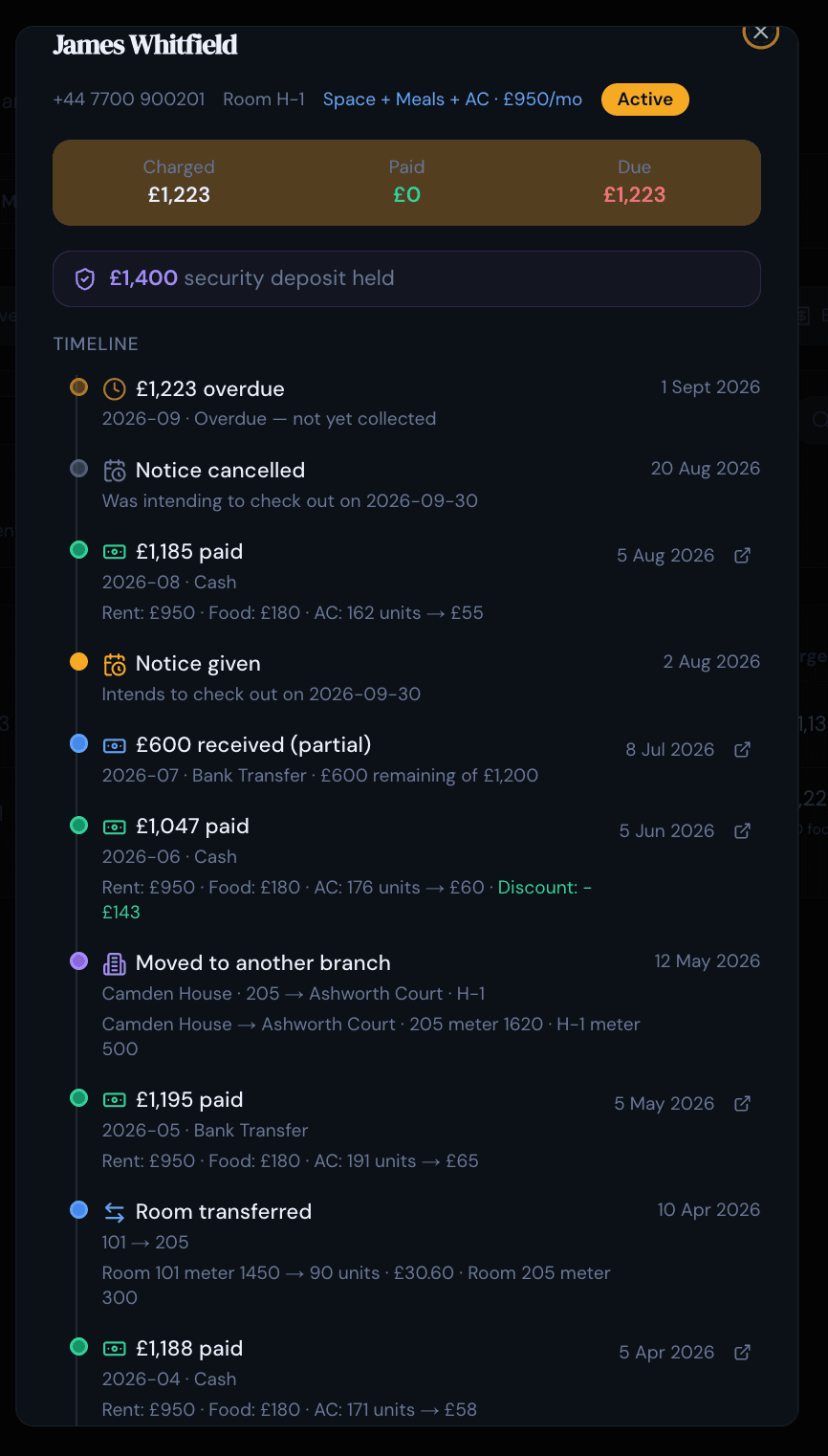
Every resident needs a record: contact details, ID or documents, move-in date, deposit and what they have paid. Keep those in one place and answering a query or settling a deposit takes seconds instead of a scroll back through old messages. PulseHub gives each resident a running timeline, so their admission, bed changes, bills, payments and any complaints read as a single story.
Rent, meals and utility billing
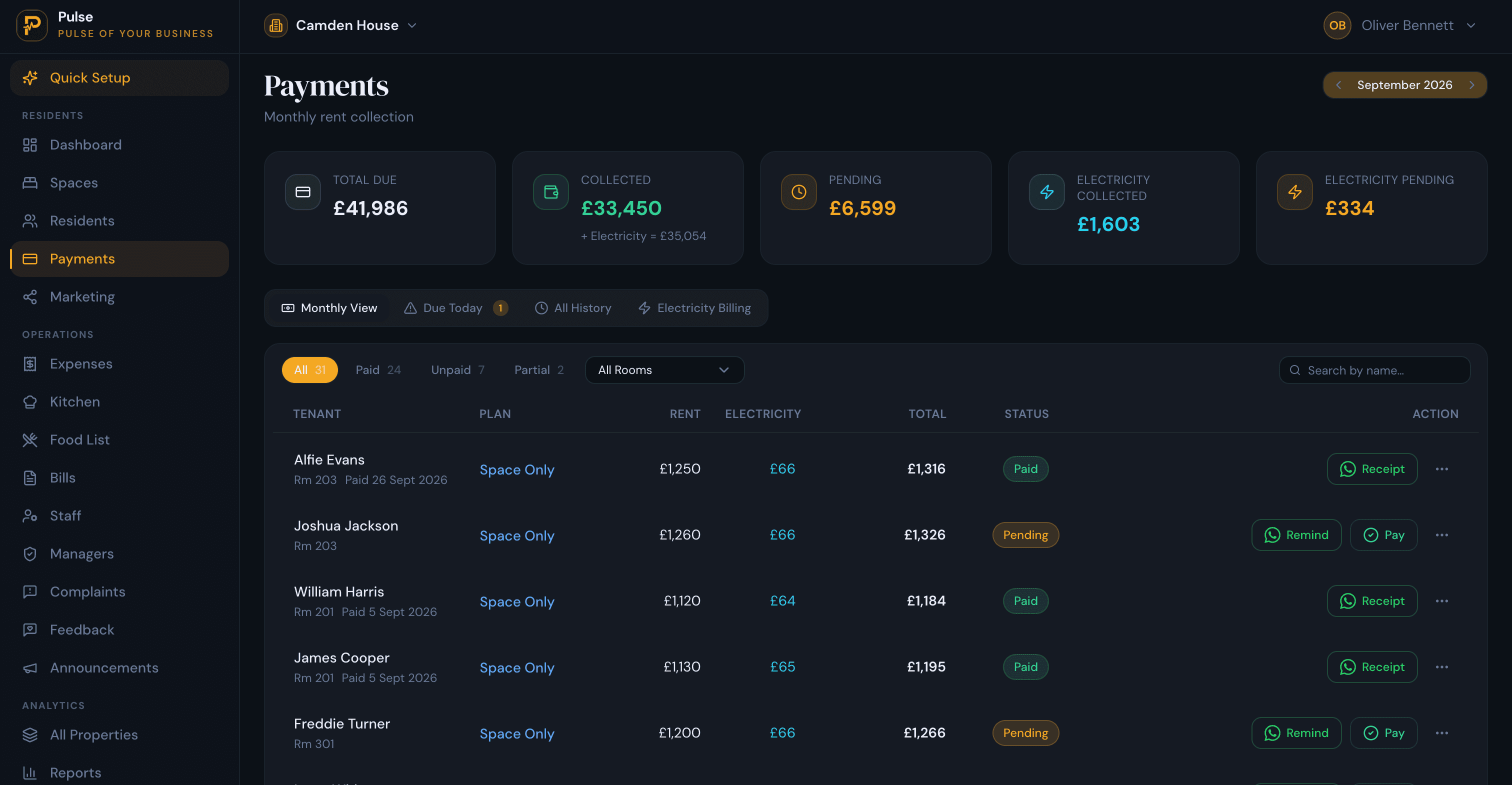
Few hostels charge rent and nothing else. Meals are often included or billed on top, and electricity is frequently recharged, sometimes by meter reading. The software should pull all of it onto one monthly statement per resident, handle part-payments and deposits properly, and make overdue amounts easy to spot. PulseHub can bill rent, meals and metered utilities on the same statement, and keeps collections and arrears on their own screen so the figures stay readable. Our guide to tracking rent, payments and arrears goes deeper on this one job.
Occupancy and a waiting list
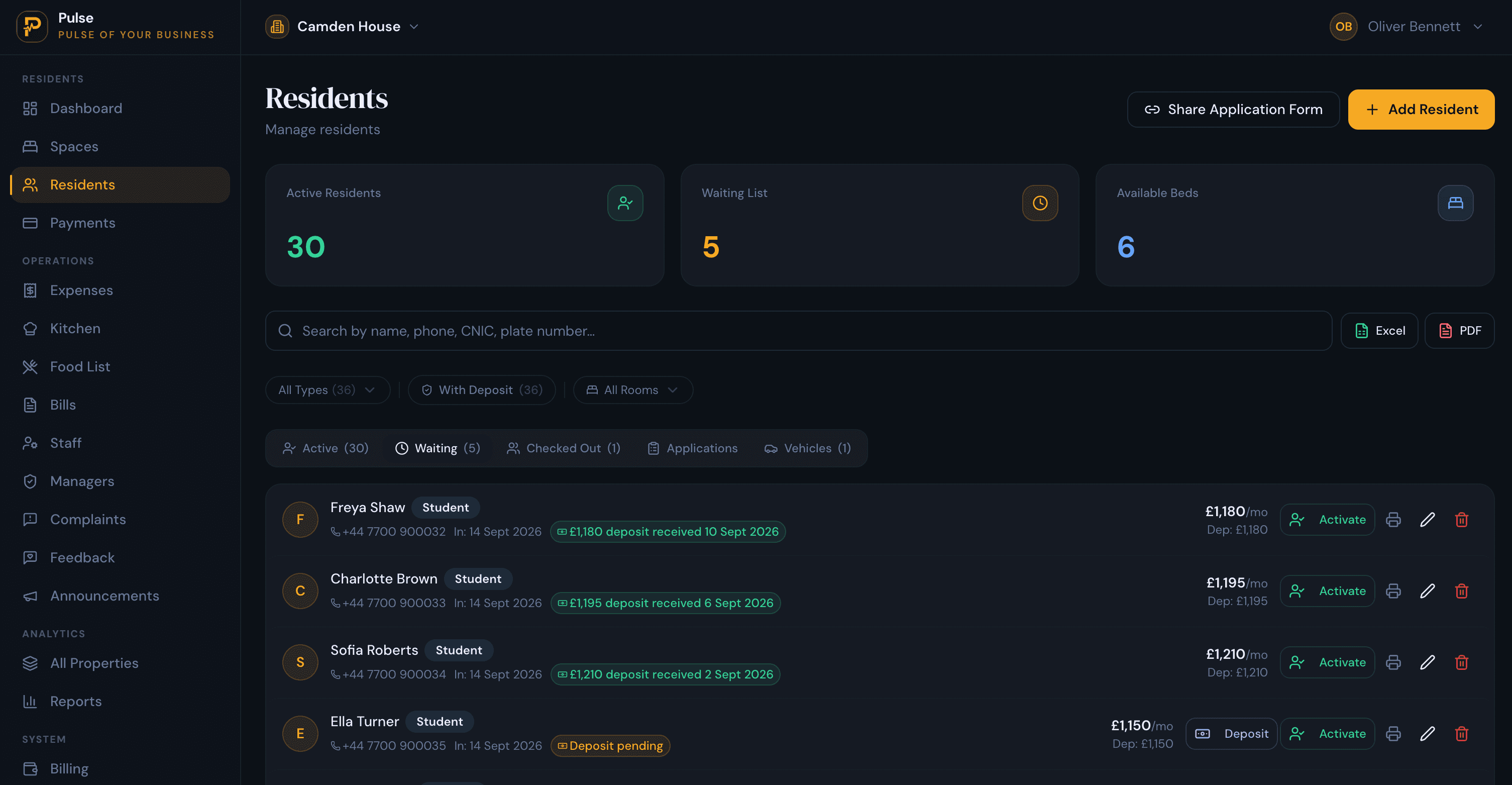
Empty beds are the quiet drain on a hostel, because nobody emails to say a bed went unused last month. A clear occupancy view shows which beds are taken, free or reserved, and a waiting list lets you line up the next arrival before the current resident moves out, so the gap between them shrinks. PulseHub keeps a waiting list of incoming residents with their move-in dates for exactly this.
Maintenance and complaints
Shared living produces a steady stream of small repairs, and the forgotten ones are the ones that become complaints. You want to log an issue, put someone on it, and keep a record of what happened and when. In PulseHub a resident can report a problem by scanning a QR code in the hostel, and each issue carries its status and history.
Running several hostels
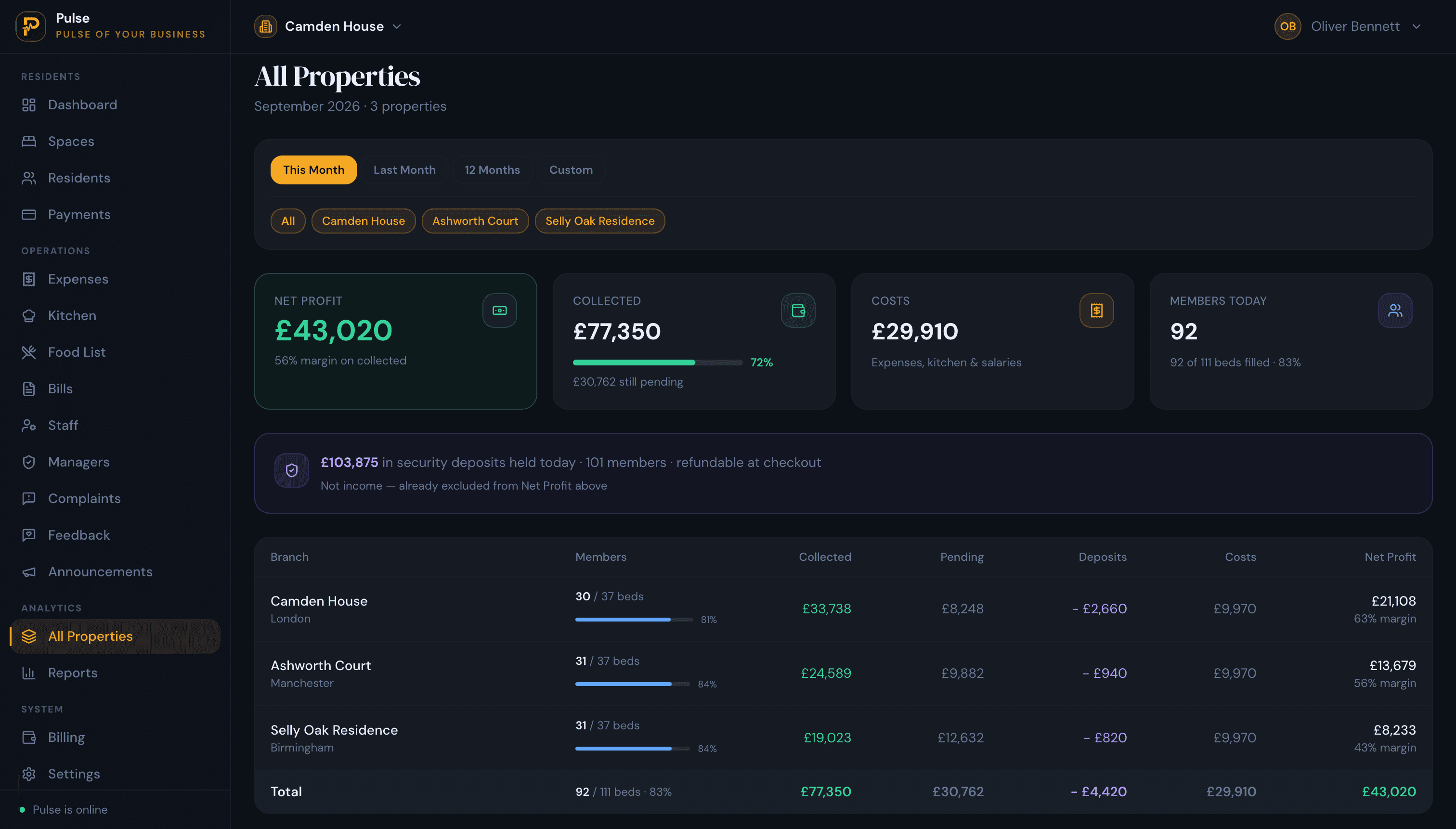
A second or third hostel should not mean a second or third spreadsheet. The software should hold every site in one account and let you compare them without exporting anything. PulseHub switches between hostels in a click and has an all-sites view that lines up occupancy, collections, costs and profit side by side.
A public listing page
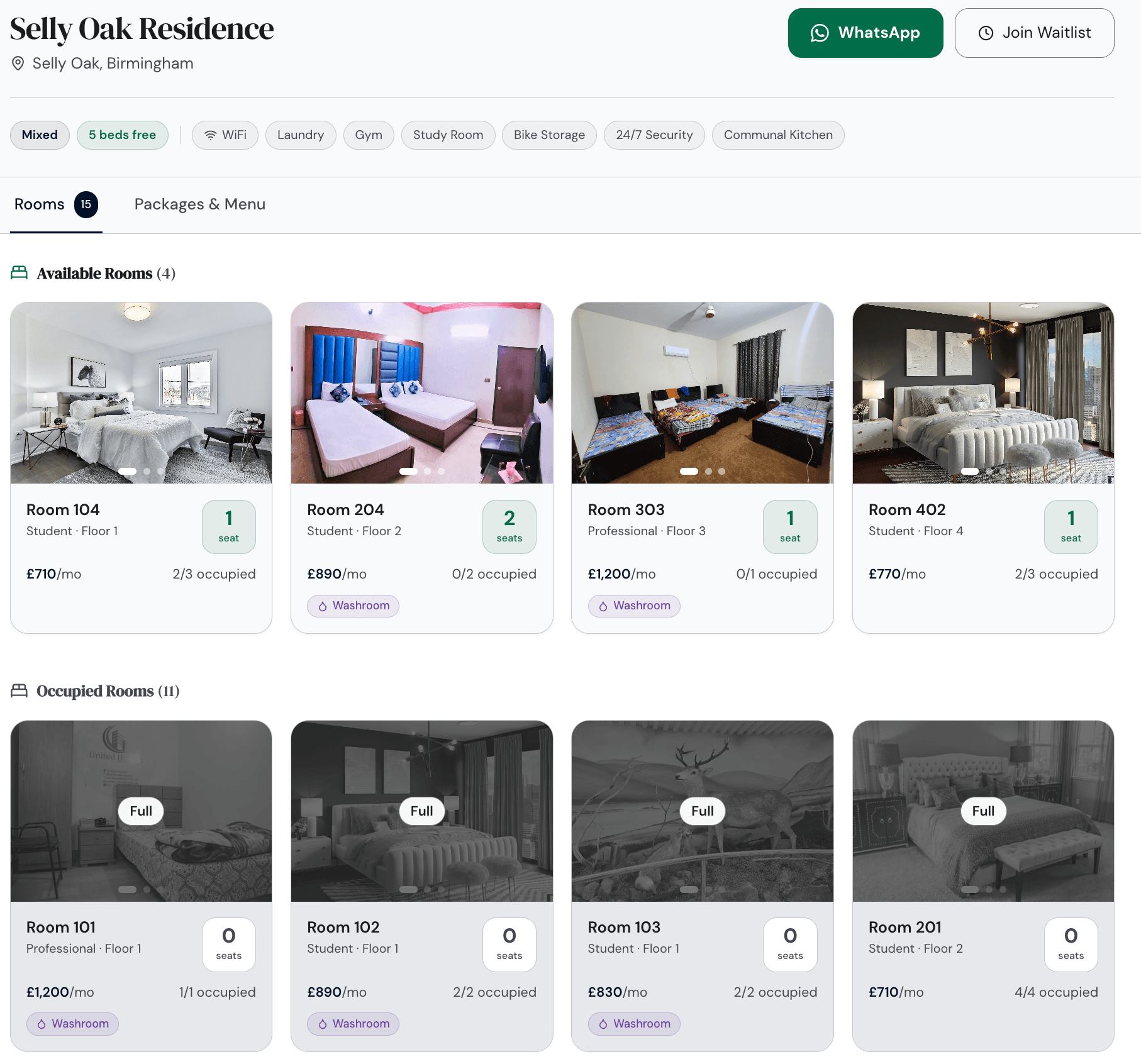
Filling beds is easier when enquiries come to you. A simple public page, showing rooms, rent and what is included, with a way to enquire or join a waiting list, turns your hostel into something people can find and ask about. PulseHub publishes a page like this for each hostel.
Reports and staff access
You should be able to see how one hostel and the whole group are doing without rebuilding a spreadsheet: occupancy, rent collected, what is outstanding and what you spent. And when a warden or manager runs a site, you can give them access to that site without handing over the rest of the business. The features page has the full list.
Hostel management software vs spreadsheets
A spreadsheet is where most hostels begin, and for one small site it can hold up. The cracks show with scale: more beds, meal charges, part-payments and a second site to reconcile. A cell you forgot to update becomes a bed you forgot to re-let. Software earns its place by building the structure and the history in for you, in exchange for a monthly fee and a short setup. For the move off Excel step by step, see managing multiple properties without spreadsheets.
How to choose the right hostel management software
- It lets a single bed. If it only handles whole rooms or units, it was not built for hostels.
- Monthly rent, not nightly rates. Rent schedules, deposits, part-payments and clear arrears.
- Meals and utilities on the bill. If you feed residents or recharge power, the statement should show it.
- Occupancy and a waiting list you can actually act on.
- One account for every hostel, with a view that compares them.
- An interface your wardens and residents will use without training.
- Pricing that fits your size, with a trial so you can test it on your own beds first.
PulseHub charges by the number of properties, with plans for 1, 3 or 10 and a 14-day free trial that needs no card. Compare them on the pricing page, or talk to the team if you run a larger group of hostels.
How PulseHub works for hostels
PulseHub maps onto the way a hostel actually runs, one step handing to the next:
Hostel → Rooms & beds → Admission → Rent & meals → Payments → Check-out → All sites
- Hostel. Add each site, with its rooms and beds.
- Admission. Take an applicant off the waiting list and give them a bed.
- Rent and meals. Set what they pay each month, including food and metered power.
- Payments. Log rent and part-payments as they arrive, and hold the deposit.
- Check-out. Settle the final bill against the deposit when they leave.
- Timeline. Everything about a resident stays on one record.
- All sites. Compare every hostel in a single view.
Each step here is something PulseHub does today, not a roadmap.
Frequently asked questions
What is hostel management software?
It is software for running a residential hostel day to day: allocating beds, keeping resident records, billing rent, meals and utilities, tracking occupancy and deposits, and logging maintenance, across one or more hostels from a single account. It is built for long-stay residents rather than nightly guests.
Is hostel management software the same as hostel booking software?
No. Booking software serves backpacker and tourist hostels: nightly reservations, an availability calendar and links to booking channels. Hostel management software serves residents who pay monthly rent, with deposits, part-payments, meals, utility bills and notice periods. If people stay for months rather than nights, you need the management kind.
What features should hostel management software have?
Bed-level allocation; a record for each resident; admissions and check-out; rent, deposits and part-payments; meal and utility billing; occupancy with a waiting list; maintenance and complaints; a way to run several hostels from one account; reports; and staff access you can limit by site.
Can it manage multiple hostels or branches?
Yes. The point of good software is to run every hostel from one login, switch between them quickly, and compare them on occupancy and collections. PulseHub does this with a site switcher and an all-sites view, and its plans cover 1, 3 or 10 properties.
Does hostel management software handle meals and utility bills?
It should, because many hostels include meals and recharge electricity. Rather than a side spreadsheet, those charges belong on the resident’s monthly statement next to rent. PulseHub bills meals and metered utilities alongside rent.
Is it suitable for student, worker or PG hostels?
Yes. Student halls, staff or worker hostels, and paying guest (PG) accommodation all let beds by the month and share the same core operations, so one system fits. The currency, the local payment methods and some terminology change by country; the workflow does not.
How much does hostel management software cost?
It usually scales with the number of hostels or beds. PulseHub is priced per property, with plans for 1, 3 or 10 and a 14-day free trial that needs no card. The pricing page shows current figures for your region.
Run your hostel on PulseHub
Letting beds by the month across more than one hostel outgrows a spreadsheet quickly: occupancy drifts, part-payments get lost, and meal and electricity charges never quite reconcile. PulseHub pulls beds, residents, rent, meals, utilities, occupancy and maintenance into one account, with a view across every hostel. Browse the platform features, compare plans on the pricing page, or start a free trial and set up your first hostel in minutes.