HMO utility billing
HMO Utility Billing and Bill-Splitting Software
Record a meter reading and PulseHub prices it against your tariff, splits it between residents by their move-in dates, and puts it on the same monthly bill as the rent. Everyone pays for their actual share.
For landlords and operators running one HMO or a whole portfolio.
14-day free trial · no card required
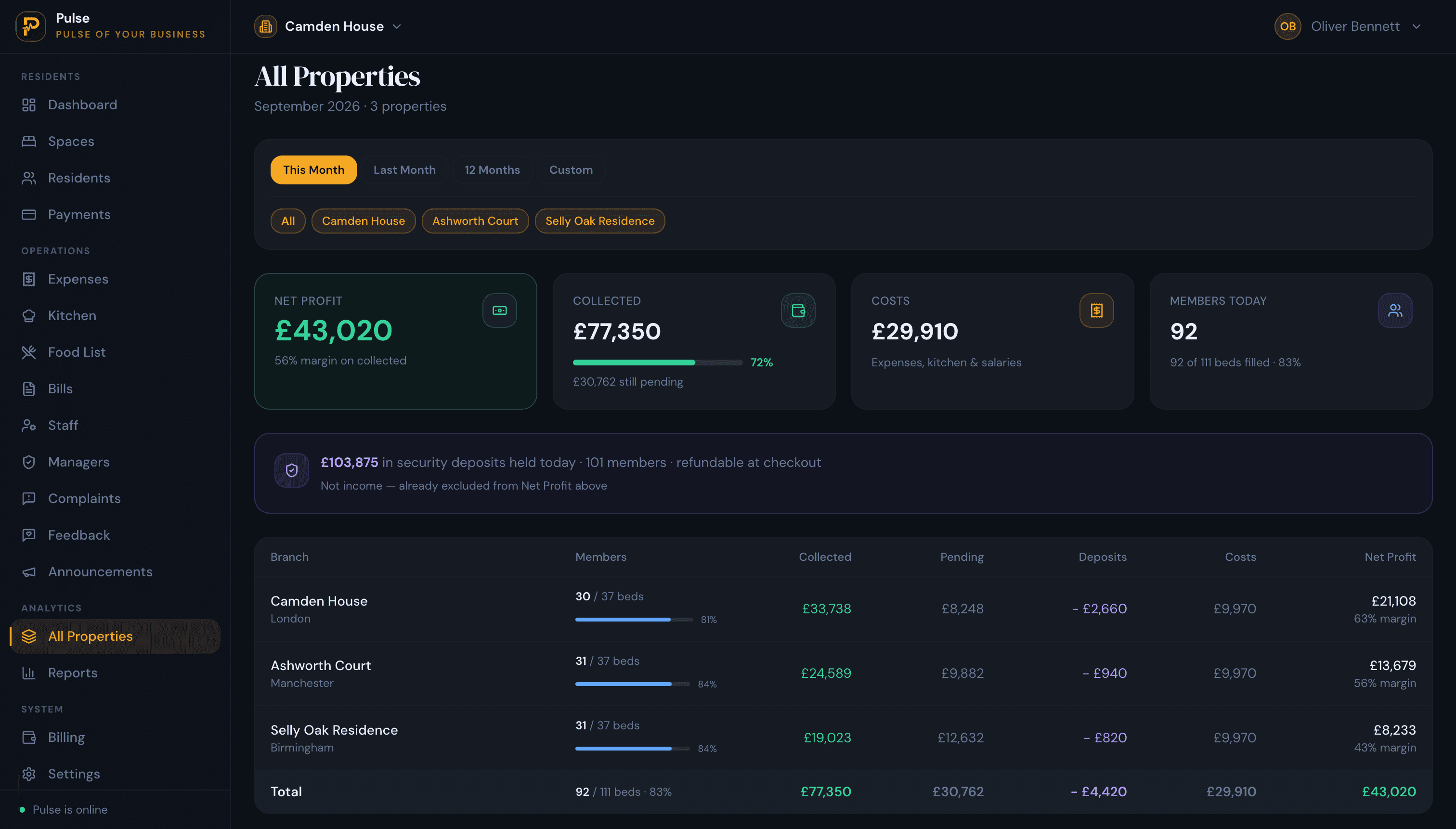
See PulseHub in Action
See how PulseHub meters usage, splits it between residents, and bills it alongside rent.
Ready to simplify your accommodation operations?
How bill splitting works
Three steps turn a meter reading into a fair charge on every resident’s bill.
01
Record a meter reading
Enter the reading for a room or property, with a photo of the meter kept as evidence. Opening readings are captured at move-in.
02
Price it at your own tariff
The usage is priced against the tariff you set, so the charge is the units used at the rate you actually pay your supplier.
03
Split it by the people in the room
The charge is split between residents by their move-in dates, not a flat share, and lands on the same monthly bill as their rent.
Metered, not flat-share
Charge each resident for their actual share
A flat split is easy and unfair: the person away all month pays the same as the one running the heating around the clock. PulseHub splits metered usage between residents by their move-in dates, so the charge follows who was actually in the room and when. Usage is billed in kWh at the tariff you set, and a correction re-prices in place rather than forcing a manual recalculation.
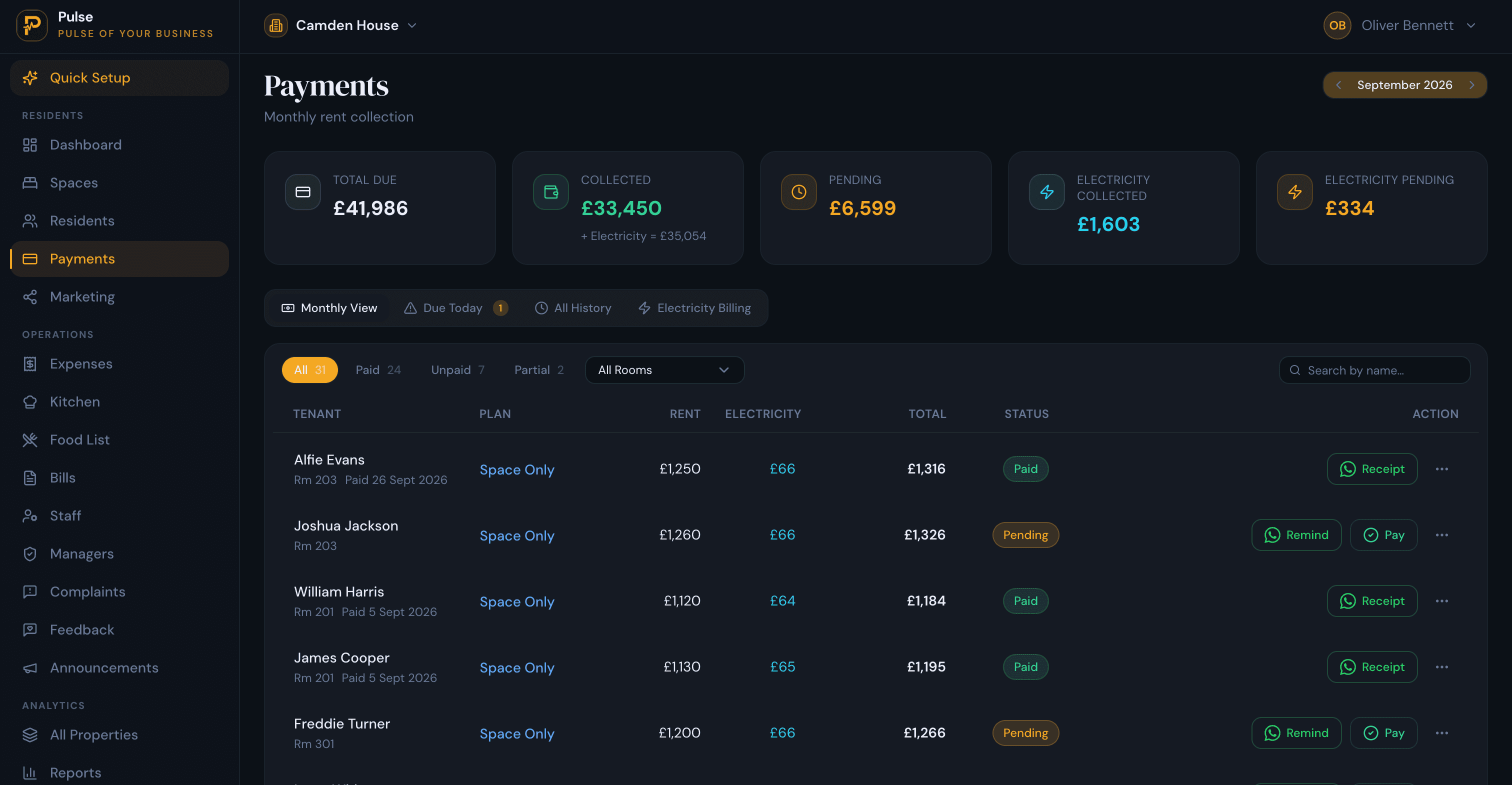
One bill
Rent and utilities on one bill, with a clear breakdown
A resident gets one monthly bill covering rent and their metered utilities, with the units and the rate shown, so there is no surprise invoice to chase separately. Add recurring charges such as water, gas and broadband to the same bill, and issue a numbered receipt when it is paid.
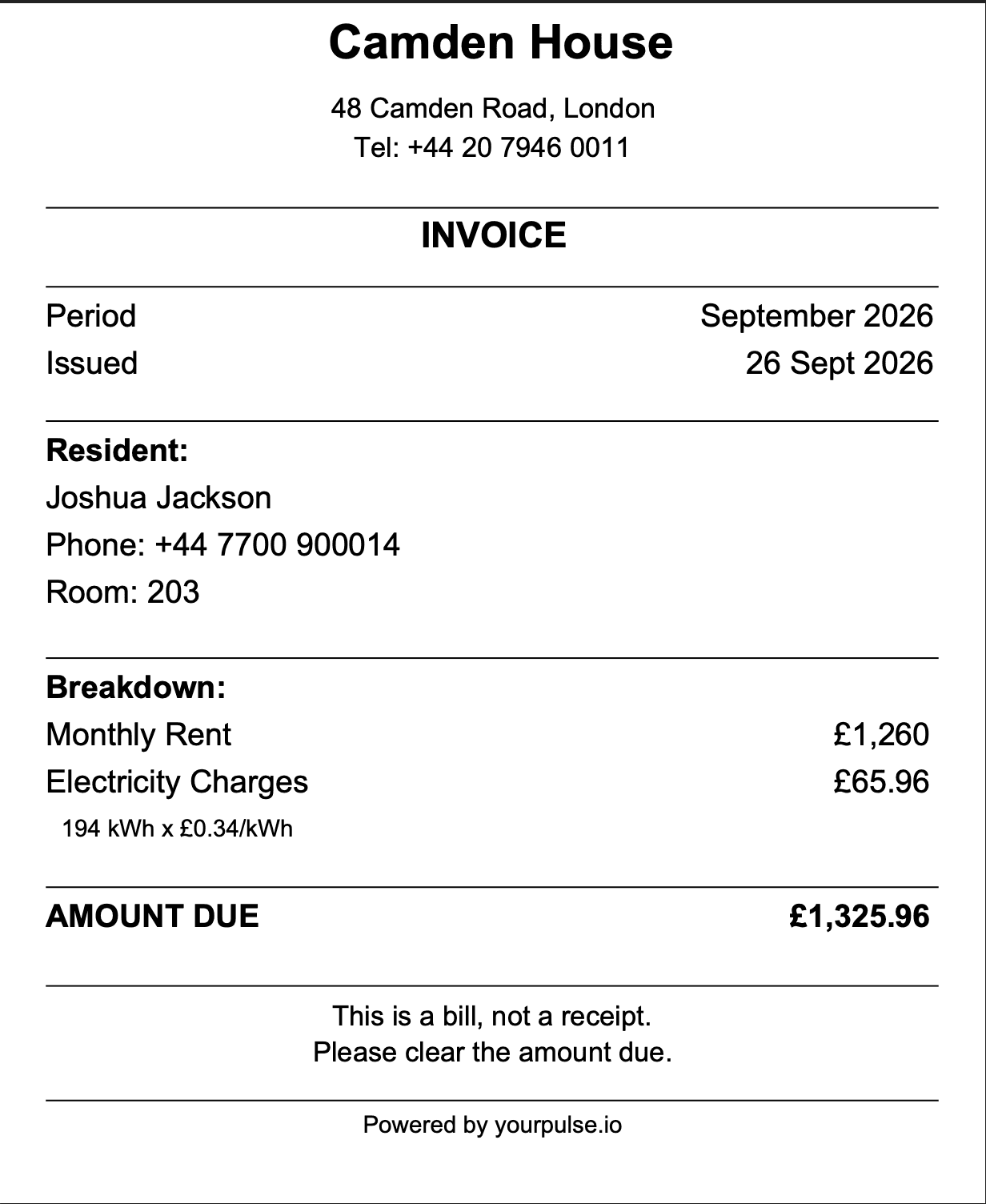
At your own cost
Pass on exactly what you pay
Because usage is priced at the tariff you set, the charge is the units used at your own supplier rate. That keeps a bills-included let fair and helps you stay within Ofgem’s resale rules, which let a landlord recover cost but not profit on resold energy.
For how to set a fair-usage allowance and bill the excess within those rules, read our guide to bills-included HMO fair-usage caps.
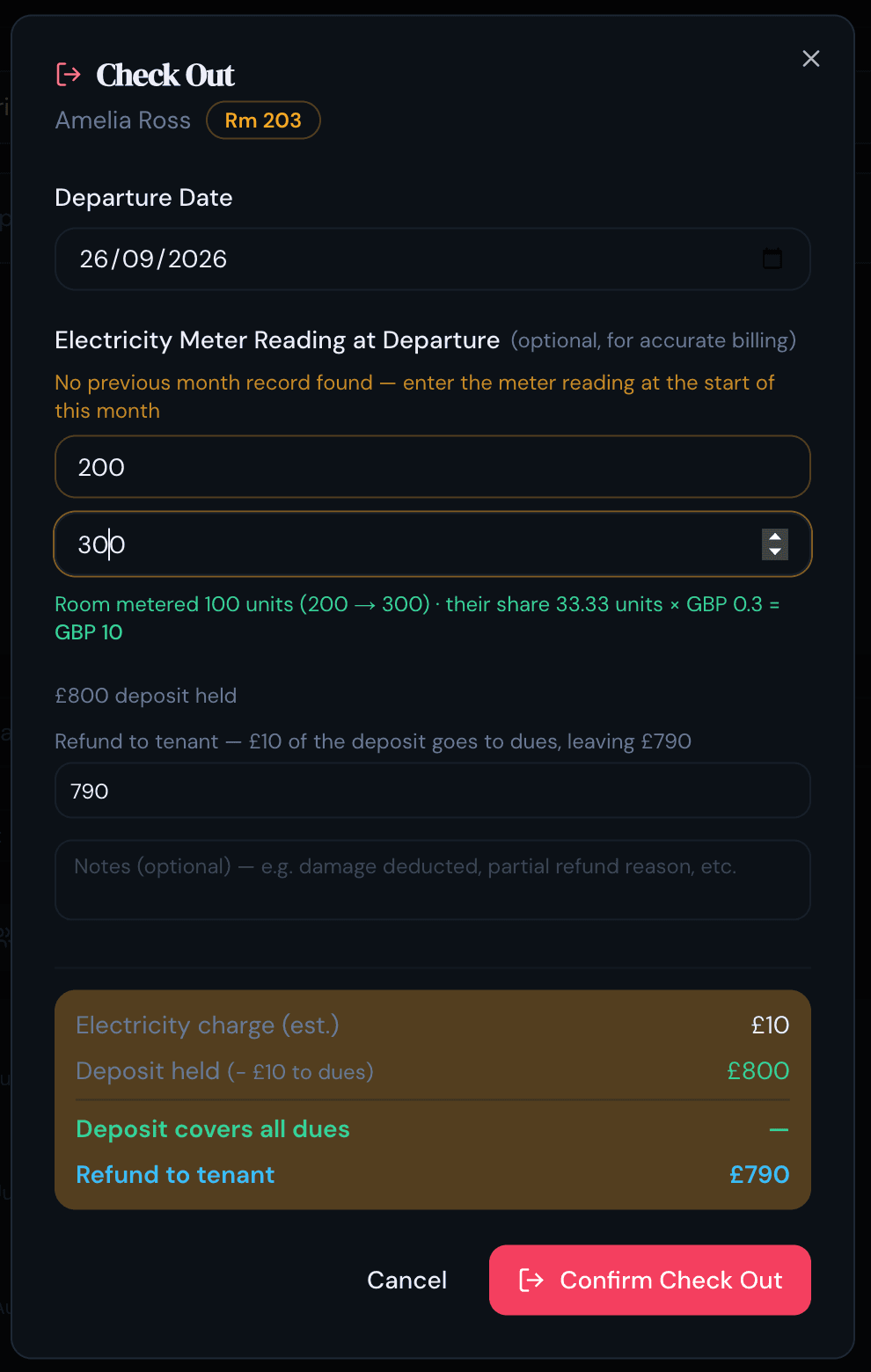
Move-out
Settle the final reading against the deposit
When a resident leaves, take the closing reading and PulseHub charges their final usage and settles it against the deposit, so the refund or balance reflects what they actually used. The next resident’s share starts from their move-in date, with no manual tenant-day arithmetic.
Everything the utility side of an HMO needs
- Metered electricity, billed in kWh
- Split by resident move-in dates, not flat share
- Rent and utilities on one monthly bill
- Priced at your own tariff
- Meter photos kept as evidence
- Corrections re-price in place
- Recurring water, gas and broadband charges
- Final reading settled at move-out
- Across one property or a whole portfolio
Plans and pricing
Property-based plans for 1, 3 or 10 properties, with custom plans for larger portfolios. Utility billing is included on every plan. 14-day free trial, no card required.
Choose your country to see pricing
PulseHub is priced in your local currency. Select your country above to see the plans available to you.
Already have data to move?
Get migration help through Upwork →Every plan includes
- Property management
- Room and occupancy management
- Resident records
- Rent and payment tracking
- Maintenance management
- Utility and bill allocation
- Reports and financial insights
- Team access
Need more than 10 properties? Contact us for an Enterprise quote.
Utility billing is one part of PulseHub. See HMO management software or property management software for shared housing for the whole platform, read how to set a fair-usage cap and bill the excess, or how to track HMO rent, payments and arrears.
Frequently asked questions
How does PulseHub split utility bills between tenants?
You record a meter reading, it is priced against the tariff you set, and the charge is split between residents by their move-in dates. Each resident pays for the share of the period they were actually there, rather than a flat split, and it shows on the same monthly bill as their rent.
Can I pass on exactly what I pay for energy?
Yes. Set your tariff to the rate your supplier charges you, and PulseHub bills the units used at that rate. Under Ofgem’s resale rules you can recover your cost but not make a profit on resold energy, so charging at your own rate keeps you within them. This is general information, not legal advice; see our guide to fair-usage billing for the detail.
Do I need a sub-meter for every room?
No. You record a meter reading, PulseHub splits the usage between the residents by their move-in dates, and a photo of the reading is kept as evidence. Where you have per-room sub-meters fitted, you can bill each room for its own usage.
Can it bill water, gas and broadband too?
Yes. Alongside metered electricity, you can add recurring charges such as water, gas and broadband, so a resident’s whole set of charges sits on one bill.
What happens to the utility charge when a resident moves out?
At check-out, the final reading is charged and settled against the deposit, so the refund or balance reflects their actual usage. A new resident’s share starts from their move-in date.
Is a free trial available?
Yes. You can start a 14-day free trial with no card required, then book a demonstration if you would like a walkthrough focused on utility billing.
Get started
Bill HMO utilities fairly, without the spreadsheet.
Meter each room, split charges by occupancy, and put rent and utilities on one bill per resident. Start a 14-day free trial with no card required.
One platform for HMO, student, co-living & hostel operators.