Accommodation management
Occupancy Management Software: Fill Beds and Cut Void Periods
· 7 min read
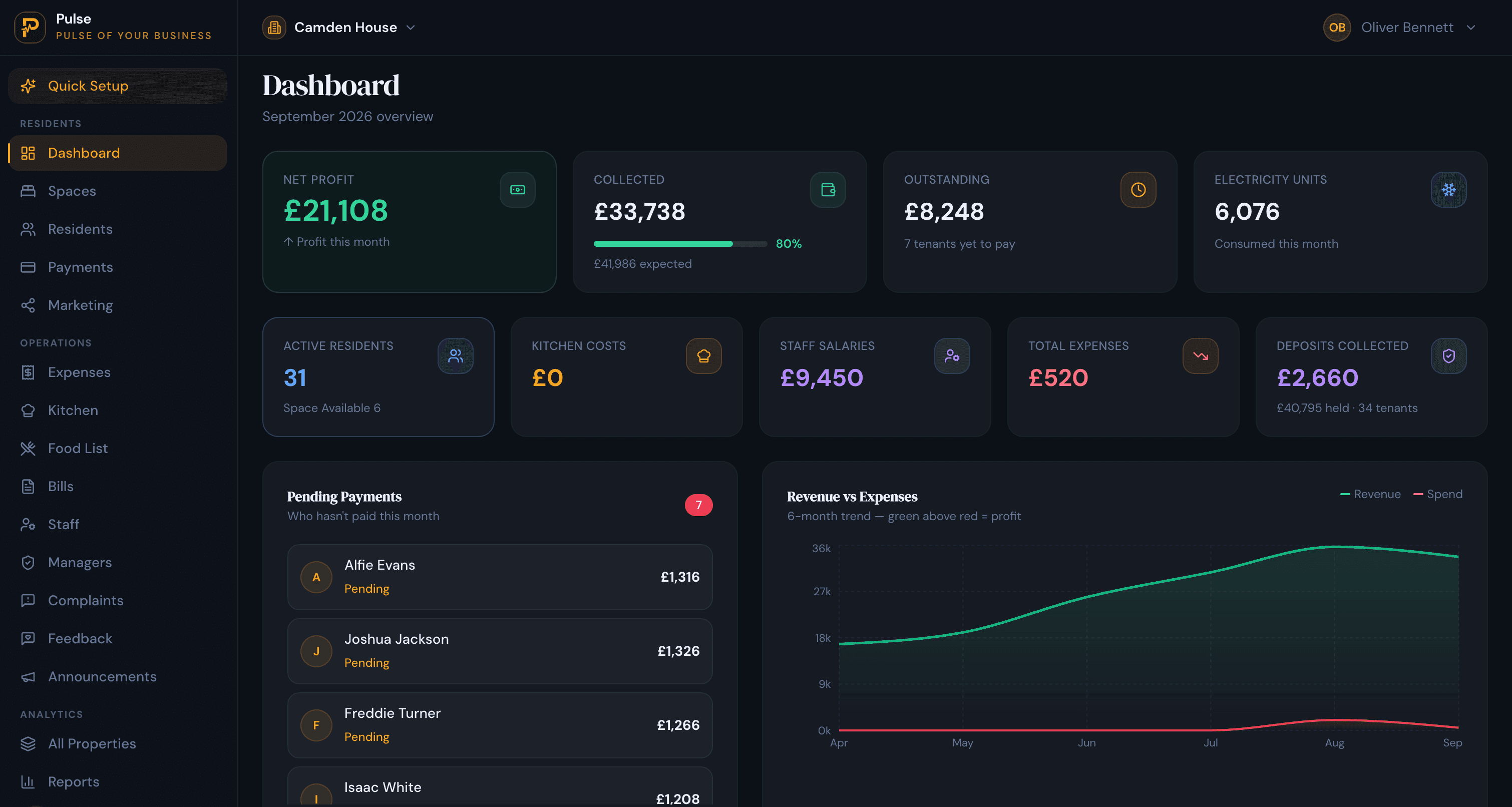
Occupancy management software tracks which rooms and beds are let or empty, in real time, across every property you run. For accommodation let by the room or the bed, an empty bed is lost income that is easy to miss, and the job is to see it and fill it. This is what occupancy management does, why bed-level matters, and how PulseHub handles it.
What occupancy management software does
At its simplest, it answers one question continuously: how full am I, and where are the gaps? It maps the property, tracks every move-in and move-out so the picture stays true, flags empty beds, and reports the occupancy rate over time. For a hostel, HMO, co-living site or student accommodation, that picture is the difference between noticing a void this week and finding it on next month’s numbers.
Why it has to work down to the bed
Most property tools assume one tenant takes one whole unit. Shared accommodation does not work like that. A six-bed dorm with three residents is half full, each bed is let on its own, and a room can hold people who arrived on different dates. If your software only counts whole rooms, your occupancy figure is wrong and your voids are hidden. PulseHub models each property as floors, rooms and beds, keeps occupancy true so a bed can never be double-booked, and counts a half-full room as half full.
Seeing and filling voids sooner
A void costs you every night it sits empty. Occupancy management helps you act on it rather than discover it later:
- Every empty bed at a glance, across one property or the whole portfolio, instead of counting rooms by hand.
- A waiting list that holds interested applicants for rooms that are not free yet, so a move-out has a move-in ready.
- A public listing page per property with live availability, prices and an application form, so demand reaches you directly.
- Occupancy over time, so you can see which property is carrying the voids and why.
One thing to be clear about: this is not a booking engine or channel manager. PulseHub runs the beds you have and takes direct enquiries from your own page; it does not take nightly reservations through, or sync inventory to, travel sites such as Booking.com. If you run a traveller hostel you can keep an OTA alongside it, and read our hostel management software page for how the two fit together.
Occupancy across a whole portfolio
Run one property or a group. Switch between them on a single login, move a resident or a bed from one to another, and see them together: occupancy, revenue, outstanding dues and costs, side by side. It works the same way whether you run HMOs, hostels, co-living or student accommodation, because all of them are modelled as floors, rooms and beds.
Where to go next
Occupancy is one part of running shared accommodation. See the wider shared-housing platform, read what a property management system is, or start with the property type you run: HMO, hostel, student accommodation or co-living.
Frequently asked questions
What is occupancy management software?
It is software that tracks which rooms and beds are let or empty, in real time, across one property or a portfolio. For accommodation let by the room or the bed, it maps the property as floors, rooms and beds, keeps occupancy true as people move in and out, flags voids, and reports the occupancy rate so you can see how full you are and where the gaps are.
How does PulseHub track occupancy down to the bed?
PulseHub models each property as floors, rooms and beds, so a six-bed dorm with three residents reads as half full rather than simply occupied. A bed can never be double-booked, allocations update as residents are admitted and checked out, and a waiting list holds demand for rooms that are not free yet.
Is occupancy management software the same as a booking engine?
No, and it is worth being clear about it. A booking engine or channel manager takes nightly reservations and distributes your rooms to travel sites such as Booking.com. Occupancy management is about running the beds you have: who is in which bed, which are empty, and how full you are over time. PulseHub does the occupancy and operations side and takes direct enquiries from your own listing page; it does not sync inventory to OTAs.
Can it reduce void periods?
It helps you see and act on voids rather than remove them. You can see every empty bed at a glance, hold interested applicants on a waiting list, publish live availability on a public listing page per property, and fill a gap sooner because you noticed it. The occupancy rate across the portfolio shows which properties are carrying the voids.
Does it work across more than one property?
Yes. Switch between properties on one login, move a resident or a bed between them, and see every property together with occupancy, revenue and costs side by side. A manager can be given access to just their own site.