Property management
What Is a Property Management System (PMS)?
· 11 min read
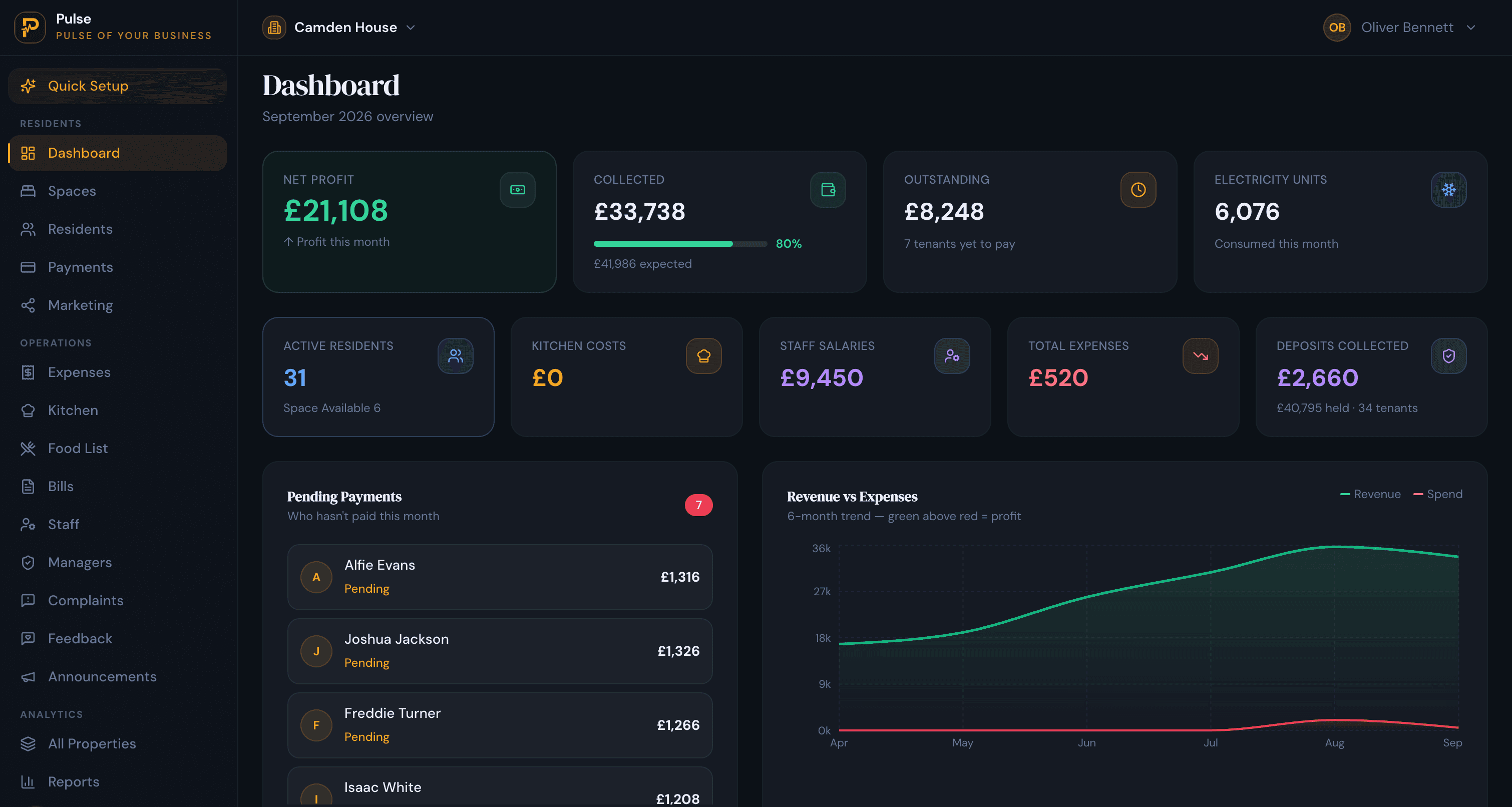
A property management system (PMS) is software that runs a property’s day-to-day operations in one place: who is staying, what they owe, what has been paid, what needs fixing, and how the property is performing. It replaces the spread of spreadsheets, paper and separate apps most operators start with. If you have searched the term and found results about hotels next to results about rental flats, that is not a mistake: the same three letters are used by industries that work very differently.
This guide explains, in plain English, what a PMS actually does, the three kinds you will come across and how they differ, the features worth expecting, and how to choose one that fits the way you really operate. It is written for people running accommodation of any kind, with no assumption that you run a hotel.
What a property management system is
A property management system is software that runs the day-to-day operations of a property from one screen. Instead of a booking in one place, a rent record in another and a maintenance note on paper, the PMS keeps them together and connected, so a move-in updates occupancy, occupancy feeds the bill, and the bill feeds the reports. The point is a single source of truth: one record per resident or guest, one running balance, one honest view of how full and how profitable the property is.
The term began in hotels, where it described the system at the front desk, and it has since spread to every kind of property that needs the same control. You will see it written as both “property management system” and “property management software”; in practice they mean the same thing.
What a property management system does
The details differ by industry, but almost every PMS is built around the same core jobs:
- Bookings or admissions: take a reservation or an application, capture the details once, and turn it into an active stay or tenancy.
- Occupancy: know what is full and what is free, in real time, without double-booking a room or a bed.
- Billing and payments: raise what is owed, record what comes in (including part-payments), and carry a true balance.
- Deposits: hold a deposit and settle it cleanly when someone leaves.
- Maintenance: log an issue, track it to done, and keep a history against the room.
- Reporting: show occupancy, income, arrears and costs, for one property and across a portfolio.
- Communication: reach residents or guests with confirmations, reminders and notices.
The three kinds of property management system
This is where the confusion in the search results comes from. “PMS” covers three quite different products, each built around a different way of renting space. Picking the wrong kind is the most common and most expensive mistake, because the mismatch shows up every single day.
1. Hotel PMS (hospitality)
Built for nightly and short stays. A hotel PMS revolves around a front desk, check-in and check-out, housekeeping, nightly rates and distribution to booking channels and travel sites through a channel manager. Names you will see include Oracle Opera, Cloudbeds and Mews. If your guests arrive for a few nights and you sell rooms through online travel agents, this is your category.
2. Real-estate or rental PMS
Built for whole-unit lets. A real-estate PMS assumes one tenant (or household) signs for one whole unit on a long lease and pays one rent, and it leans into leasing, tenant screening, accounting and maintenance across a portfolio of flats or houses. Names you will see include AppFolio, Buildium, Yardi and DoorLoop. If you let entire flats or houses on annual tenancies, this is your category.
3. Room-level or shared-living PMS
Built for renting by the room and the bed. This kind runs properties where many people live under one roof, each renting a bed rather than a whole unit, each on their own agreement, each paying for their own stay, by the month (often in parts) and, in hostels and flexible spaces, by the night. It has to model a room as having several beds, keep occupancy true at bed level, bill each resident individually, split shared costs such as electricity, and often handle deposits, meals and a waiting list. This is the model behind co-living, student accommodation, hostels, shared houses, HMOs and PGs, and it is the gap a hotel PMS or a single-let tool leaves open. This room-level category is sometimes called an accommodation management system; PulseHub is built for it, and bills a stay by the night or by the month.
| Hotel PMS | Real-estate PMS | Room-level PMS | |
|---|---|---|---|
| What is rented | A room for the night | A whole unit on a lease | A room or a bed |
| How rent is paid | Per night or stay | Monthly, one rent | Per night or per month |
| Built around | Front desk and channel distribution | Leasing and accounting | Beds, occupancy and per-resident billing |
| Example tools | Opera, Cloudbeds, Mews | AppFolio, Buildium, Yardi | PulseHub |
| Best for | Hotels and short stays | Single-let flats and houses | Co-living, student, hostels, HMOs, PGs |
Which kind do you need?
A quick test: what does one person rent, and how often do they pay? A whole unit, once a month on a long lease, points to a real-estate PMS. A room for a few nights, sold through travel sites, points to a hotel PMS. A bed in a shared property, paid monthly and sometimes in installments, points to a room-level system built for shared living.
Core features to expect
Whatever the category, a capable property management system should give you most of the following. Use it as a checklist when you compare tools:
- A single record per resident or guest, with their documents, agreement, deposit and full history in one timeline.
- True occupancy that cannot be over-filled, ideally down to the bed for shared properties.
- Flexible billing that copes with monthly rent, part-payments, pro-rated move-ins and shared costs on one bill.
- Payment tracking and receipts, with a running balance and automatic reminders for what is late.
- Deposit handling that settles against final dues at move-out.
- Maintenance and complaints logged and tracked to resolution.
- Multi-property reporting, so a portfolio reads as clearly as a single site.
- A way to fill rooms: channel distribution for hotels, or a public listing page with live availability for everyone else.
- Roles and permissions, so a manager sees only their property.
Cloud or on-premise
Most modern systems are cloud-based: you reach them from any browser, on any device, and the vendor handles updates, security and backups. A smaller number, usually older or very large deployments, run on-premise, installed on the property’s own machines, which gives you more direct control but puts maintenance, upgrades and backups on you. For nearly all independent and growing operators, cloud is the practical default.
PMS, CRM and ERP: how they differ
A PMS is sometimes confused with two neighbours. A CRM (customer relationship management) is about winning and keeping customers: leads, enquiries and marketing. An ERP(enterprise resource planning) is a broad back-office suite covering finance, HR and supply chains across a whole company. A PMS sits in the middle and is specific to running the property itself: the stays, the rooms, the bills and the day-to-day. Many operators run a PMS as their core and connect a CRM or accounting tool alongside it.
How to choose a property management system
Price and feature lists are the easy part to compare and the least important. Work through these first:
- Does it fit your model? Match the category to how you rent. A shared-housing operator forcing a hotel or single-let tool to fit will feel the friction every day.
- Does the billing match your reality? If rent arrives monthly and in parts, and bills are shared, make sure the system handles that natively rather than through workarounds.
- Does it scale to more than one property without turning into a spreadsheet again?
- Can you get your data in and out? Bulk import to start, and export whenever you want.
- Is the reporting honest and clear enough to make decisions from?
- What is the real cost, including setup, per-room or per-bed fees, and the time to run it?
- Is support there when something goes wrong at month-end?
A property management system for shared and co-living housing
If you rent by the room and the bed, the third category is the one that fits, and it is the one most generic tools miss. PulseHub is a property management system built for that model: it treats a property as floors, rooms and beds, keeps occupancy true at bed level, bills each resident for their stay whether they pay by the night or by the month, gathers rent and shared costs onto one bill, records part-payments as installments, splits metered electricity between residents by their move-in dates, and shows every property together in one portfolio view.
If that sounds like your operation, read more about property management software for shared housing, or go straight to the page for your type: HMO management software, student accommodation software or co-living management software.