Accommodation management
How to Manage a PG: A Practical Guide for Owners and Managers
· 8 min read
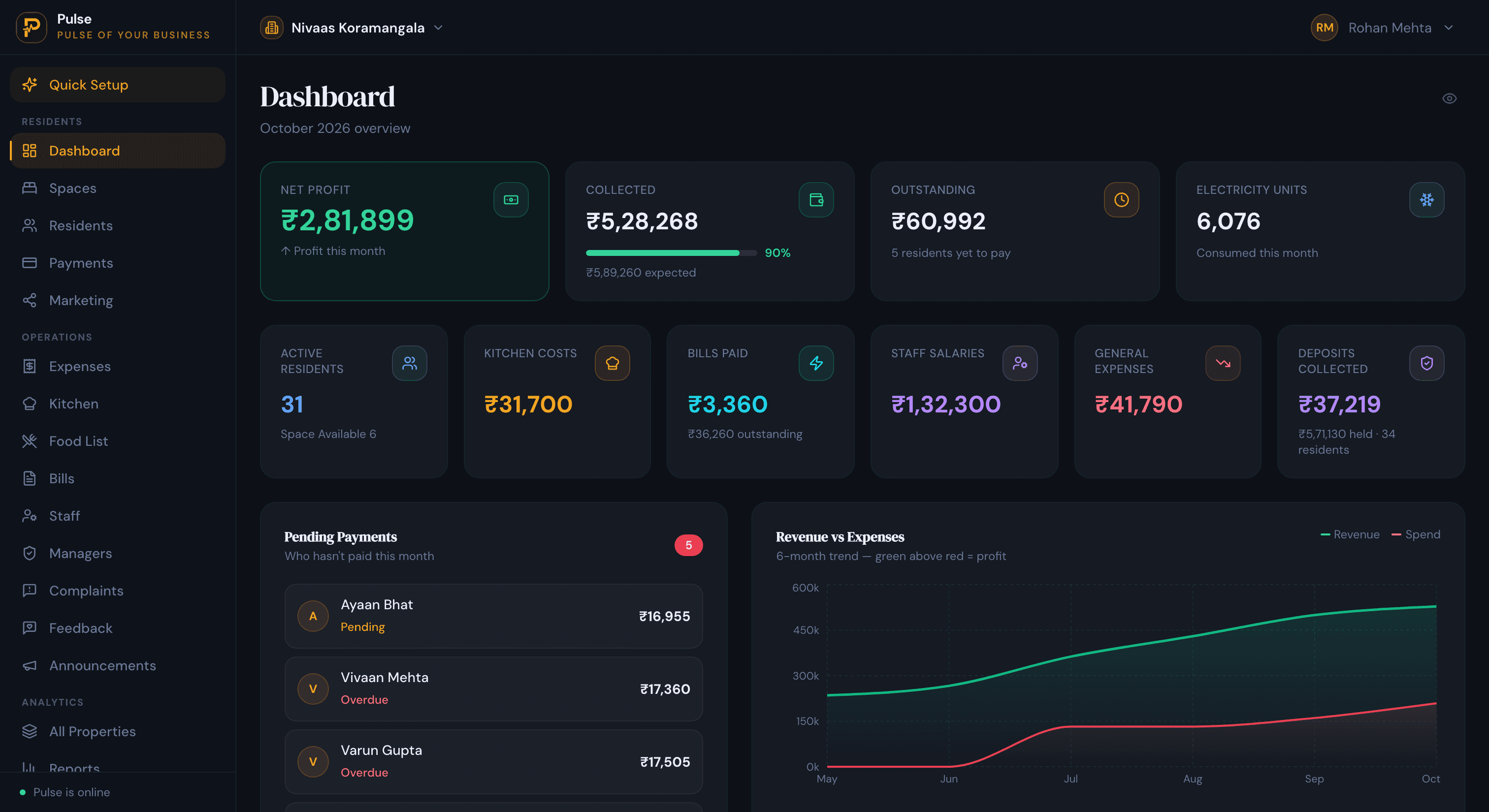
Managing a PG is really four jobs repeated every month: fill the beds, raise one bill per resident for rent and mess and electricity, collect it, and keep the place running. Done in a register and a rent diary it is a scramble; done digitally it is a few screens. This is a practical, step-by-step guide to running a paying guest accommodation, and where software takes the load off.
1. Set up the property, down to the bed
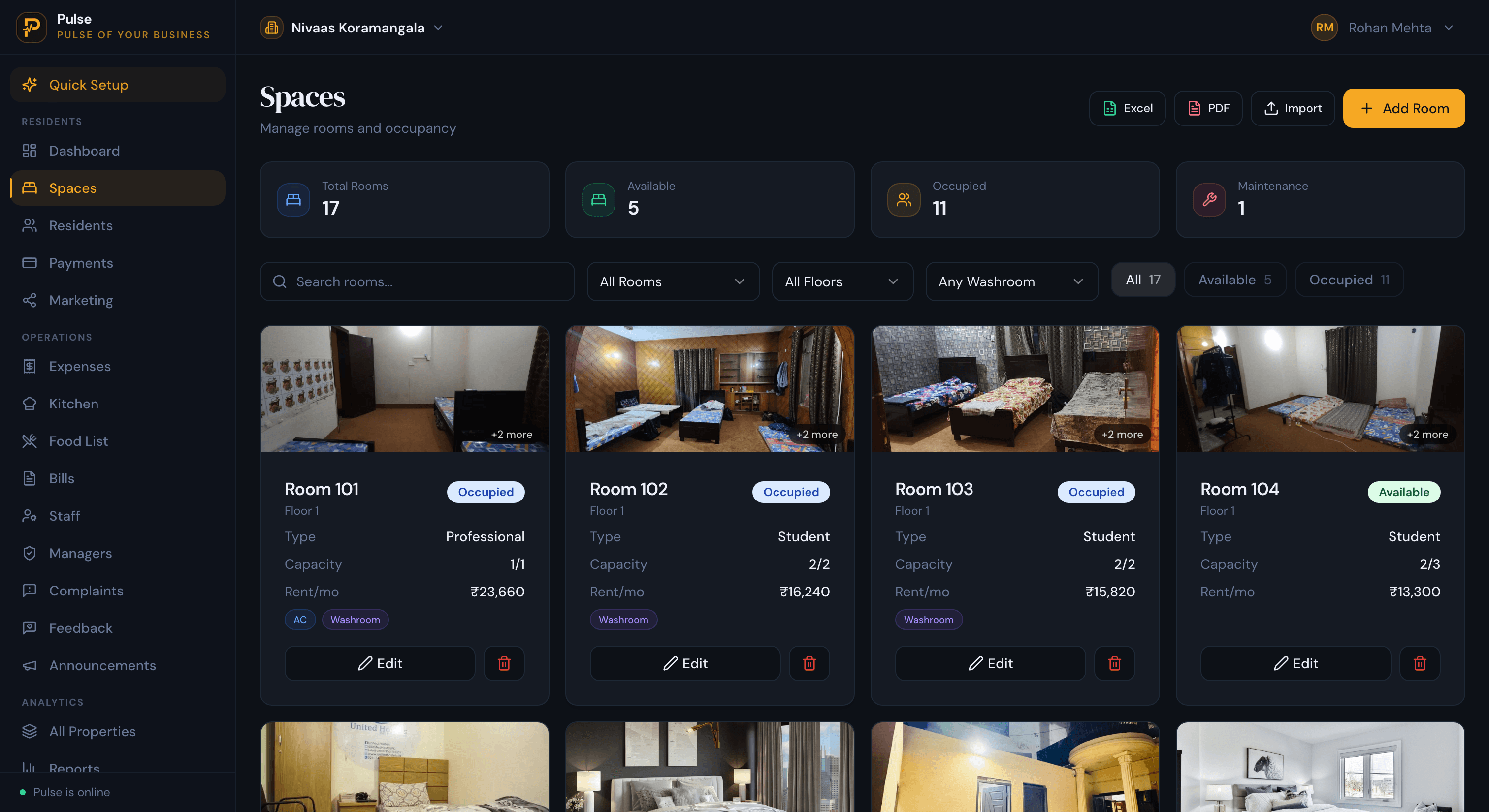
Start by mapping the PG the way it actually is: floors, rooms and beds, with each bed let on its own. A three-sharing room with one bed free should read as one bed free, not simply occupied. Record the rent for each bed, whether a room is AC or non-AC, and sharing type. Getting this right once means occupancy and dues stay correct afterwards, and a bed can never be double-allotted.
2. Admissions and resident records
Add each resident as one record holding their contact, documents, ID and deposit. New residents can also apply through the PG’s own public listing page, which shows live availability and an enquiry form, so enquiries reach you directly rather than only through brokers. PulseHub keeps the ID and documents you collect; it does not run Aadhaar-based e-KYC or verify government IDs for you, so that check stays part of your own admissions routine.
3. One monthly bill for rent, mess and electricity
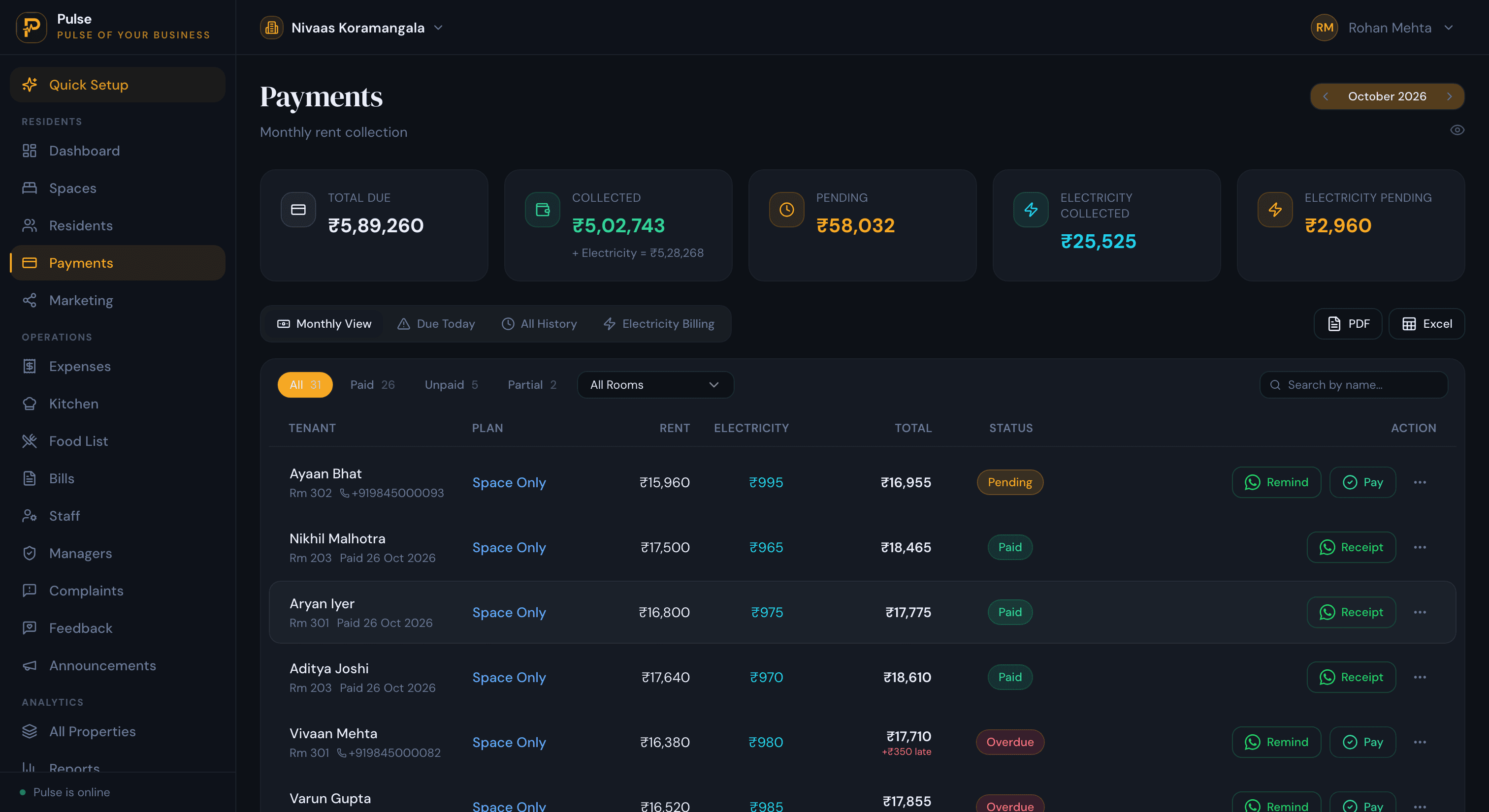
This is where most PGs lose time. Instead of a rent book for rent, a separate note for food and a shared electricity bill split by hand, PulseHub raises one monthly bill per resident that gathers the room rent, the mess charge from their meal package, a metered share of electricity, and any add-ons. A part-payment is recorded as an instalment with its own date and receipt, the balance carries forward with no double-counting, and a numbered receipt is issued when it is paid.
4. Run the mess without guesswork
Publish a weekly menu, set meals as a package on each resident’s plan, and record kitchen spend such as groceries and the cook’s wage separately. PulseHub works out the cost per person from the kitchen spend and who is on a meal plan, so you can see whether the mess is run at the price you set. It handles meals as a package and a menu rather than counting individual meal tokens day by day.
5. Split electricity fairly
Shared electricity is the argument no PG owner wants. Take a meter reading, price it against the tariff, and PulseHub splits it between the residents who shared it by their join dates, rather than a flat division that charges a resident who arrived on the 25th the same as one who was there all month. The share lands on each resident’s bill automatically. See utility billing for the detail.
6. Collect rent and chase dues
See every resident’s balance at a glance: paid, part-paid or outstanding. PulseHub records payments and issues receipts; it is not a payment gateway, so money still moves through your own bank, cash or UPI and you mark it received. What it automates is the chasing: reminders go out on WhatsApp or email before and after the due date, each with a shareable link to the bill or receipt, so you are not messaging residents one by one.
7. Keep the place running
Residents raise complaints and maintenance issues by scanning a code on the wall, each is logged and tracked to resolution, and you can give a manager access to just their own PG. Reports pull occupancy, collections, dues and kitchen costs together, so the monthly picture is one screen rather than a reconciliation exercise.
Putting it together
Managing a PG well is mostly about not letting the small things slip: a bed sitting empty, a bill raised late, a deposit no one can find at check-out. Bringing residents, billing, mess, electricity and reminders into one place is what frees you from the paperwork. See PG management software for the full picture, PulseHub for India, or compare it with RentOk if you are weighing options.
Frequently asked questions
How do I manage a PG digitally instead of on paper?
Move the four things that eat your day into one place: resident records, the monthly bill, payments, and complaints. With PG management software you set up the property as rooms and beds, add each resident with their documents and deposit, and the software raises one monthly bill per resident for rent, mess and electricity, tracks who has paid, and sends reminders. The register, the rent diary and the pile of receipts become one screen.
How should a PG bill rent, mess and electricity together?
On one bill per resident. PulseHub gathers the room rent, the mess charge from their meal package, a metered share of electricity, and any add-ons into a single monthly bill, with part-payments recorded as instalments and a numbered receipt when it is paid. That is far cleaner than a rent book for rent, a separate note for food, and a shared electricity bill split by hand.
Does PulseHub collect rent by UPI or auto-debit?
No, and it is worth being clear about it. PulseHub records payments and issues numbered receipts; it is not a payment gateway, so money moves through your own bank, cash or UPI as it does now, and you mark it received. What it automates is the chasing: reminders go out on WhatsApp or email before and after the due date, with a shareable link to the bill or receipt.
Can it handle the mess and kitchen costs?
Yes. You publish a weekly menu, set meals as a package on each resident’s plan, and record kitchen spend such as groceries and cook wages separately. PulseHub works out the cost per person from the kitchen spend and who is on a meal plan. It handles meals as a package and a menu, rather than counting individual meal tokens day by day.
How does it track deposits and ID documents?
Each resident has one record holding their documents, ID and deposit. The deposit is tracked and settled against the final bill at check-out, with the refundable balance visible. PulseHub keeps the ID and documents you collect on file; it does not run Aadhaar-based e-KYC or verify government IDs for you, so that check stays part of your own admissions process.