Student accommodation
How to Choose Student Accommodation Management Software: A Buyer’s Guide
· 10 min read
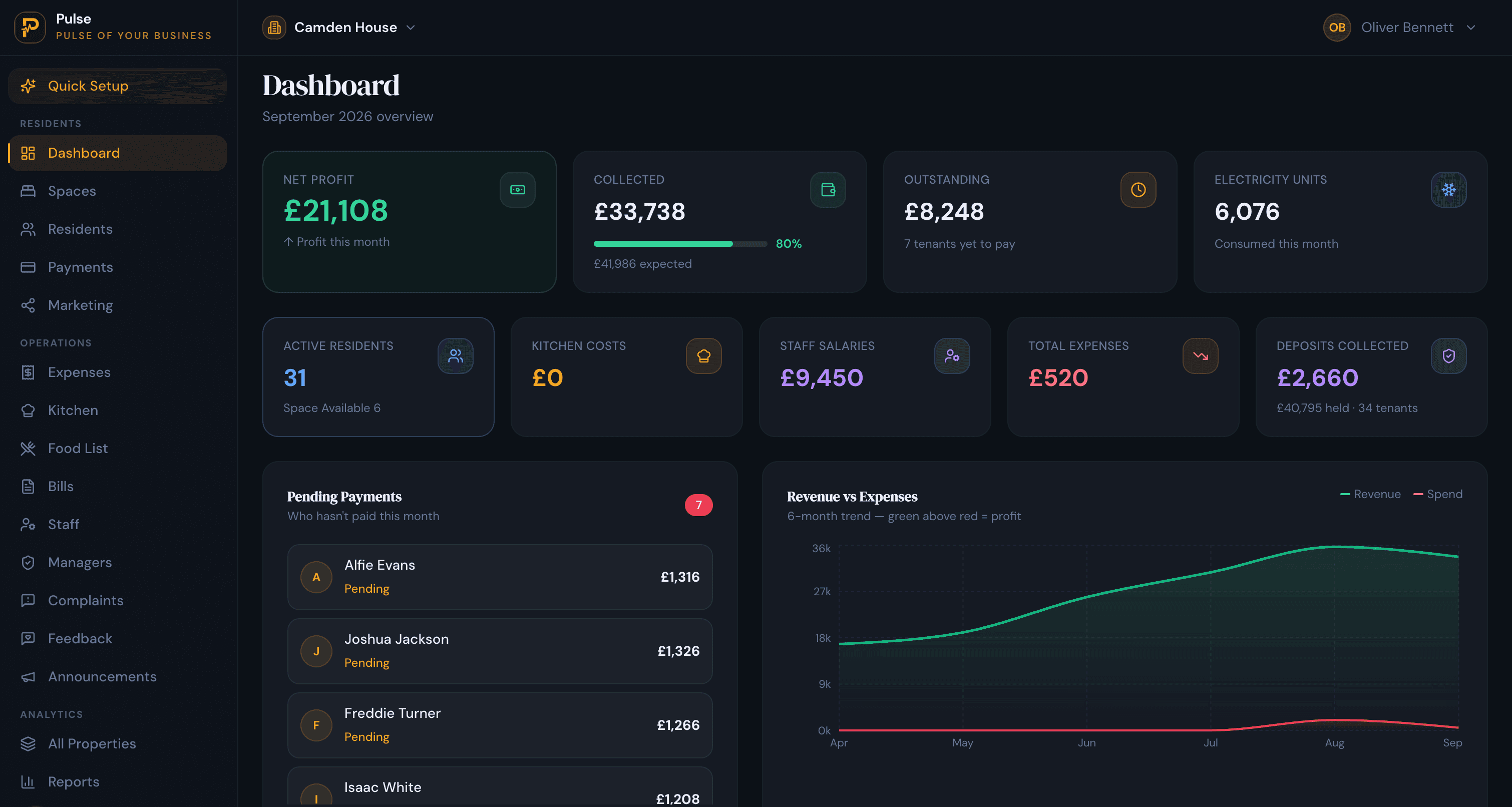
To choose student accommodation management software, start from how you actually operate, not the feature list: match it to your rent cycles, insist on occupancy down to the room and bed, check it tracks the UK compliance that applies to you, make sure you can fill beds and get your data in and out, and weigh the pricing model against your real bed count. Everything below expands on that, with the questions worth asking before you sign.
Student housing is one of the harder things to run on general tools. Rooms and beds fill and empty around the academic year, rent arrives termly or monthly rather than in one lump, deposits and arrears pile up at turn season, and in England many properties are HMOs with compliance attached. A tool built for whole-unit lets or nightly hotel stays fights you every step. This guide walks through how to pick one that fits, whether you run a single house or a large portfolio.
Start with how you actually operate
The best tool for someone else may be the wrong one for you, so begin with your own operation rather than a comparison table. Three things shape the shortlist more than any feature:
- Your rent cycles. Students often pay termly or across the academic year, not in equal monthly chunks. Make sure the software can bill the way you actually collect, and handle part-payments against a running balance.
- Your property types. Shared houses, HMOs, studio clusters and purpose-built blocks behave differently. If your portfolio is mixed, you want one system that handles all of it by the room and the bed.
- Your size and who you report to. A single house needs simplicity; a portfolio needs a view across every property, and if you manage for owners or investors, reporting back to them matters.
The features that actually matter
Use this as a checklist. If a tool is weak on the first few, it does not matter how long the rest of its list is:
- Room and bed-level occupancy that cannot be over-filled, so a four-bed flat with three residents reads as three-quarters full, not one let unit.
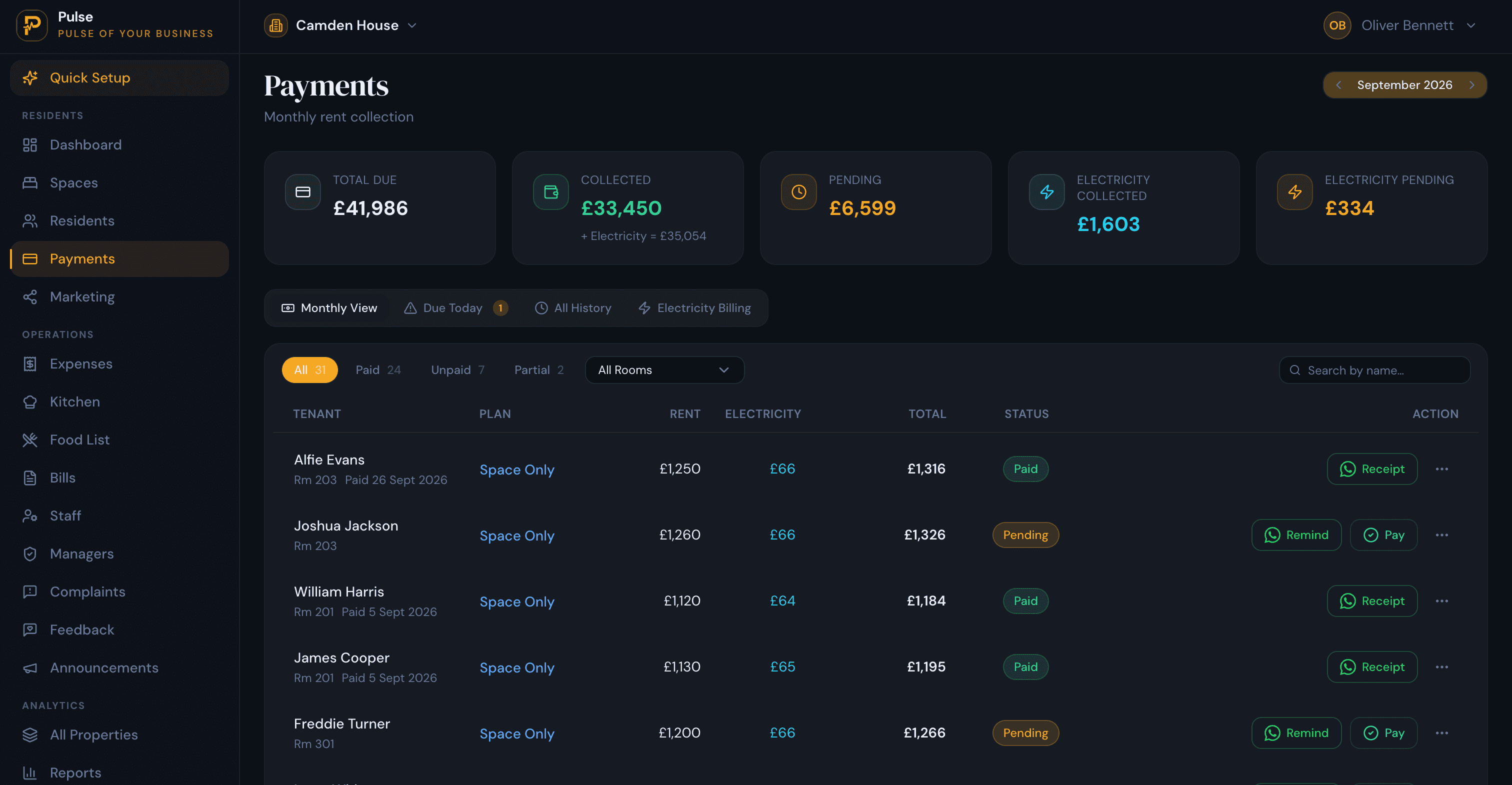
- Billing that matches your rent cycle, with one bill per resident that gathers rent and shared costs such as utilities, and records part-payments as installments.
- Arrears tracking and automated reminders, so overdue rent is chased without you doing it by hand at the busiest time of year.
- Deposits and move-in / move-out, held and settled against final dues, with the turn-season churn handled rather than rebuilt each year.
- UK compliance tracking for England HMOs: gas safety, EICR, EPC, fire alarm and HMO licence dates, with reminders before they lapse.
- Guarantor and guardian records kept against each resident, alongside their documents and emergency contact.
- A way to fill beds, such as a public listing page with live availability and an application form, so you are not reliant on a single portal.
- Portfolio and owner reporting, with occupancy, collection and cost per property, and a clean report if you answer to owners.
- Roles and permissions, so a site manager sees only their own property.
- Data in and out: bulk import to start, and export whenever you want, so you are never locked in.
Questions to ask on a demo
A demo is where the feature list meets reality. Ask the vendor to show you, not tell you:
- Bill a resident the way we actually collect rent, and take a part-payment. Where does the balance go?
- Mark a room part-occupied, then move a resident between rooms or properties. Does occupancy stay correct?
- Show a property with a certificate about to expire. How, and when, am I warned?
- Advertise an available room and take an application. Where does the enquiry land?
- Export my residents and payments. What format, and how complete is it?
- What happens at turn season when a whole house checks out and refills?
Match the tool to your size
Software for student housing really splits into two camps, and buying from the wrong one is a common, costly mistake. Large purpose-built schemes often need enterprise platforms with academic-year leasing engines, guarantor automation and investor-grade reporting, and pay accordingly. Small and mid-sized operators, the landlord with a handful of HMOs, the operator running shared houses and studio clusters, usually need the opposite: one straightforward system that lets by the room and the bed, bills each resident, and does not charge a fee per bed. Buying an enterprise platform for a dozen houses means paying for complexity you will never use; stretching a basic rental tool across a growing portfolio means outgrowing it. Be honest about which camp you are in.
How PulseHub fits
PulseHub is student accommodation management software aimed at the second camp: operators of any size who let by the room and the bed and want one system without per-bed fees. It models each property as floors, rooms and beds, keeps occupancy true, and gives every resident one bill that gathers rent and shared costs such as a metered share of electricity, with part-payments recorded as installments against a running balance. Deposits are held and settled at check-out, overdue rent is chased with automatic reminders, and every property rolls up into one portfolio view with manager logins scoped to a single site. For England HMOs it tracks gas safety, EICR, EPC, fire-alarm and HMO-licence dates with reminders, and each property gets a public listing page with live availability to help fill beds.
Two honest boundaries so you can judge the fit. PulseHub bills monthly or by the night with installments rather than running a dedicated UK academic-term cycle, so confirm termly billing with us if that is essential, and it keeps guardian and guarantor records rather than automating full guarantor agreements. It is built for operators who want a clear, affordable system, not an enterprise PBSA leasing suite. For the full picture, see the student accommodation management software page and our UK guide to student accommodation management; for the wider category, read what a property management system is.
In short
Choosing student accommodation management software is less about the longest feature list and more about fit: pick the tool that bills the way you collect rent, keeps occupancy true down to the bed, tracks the compliance that applies to you, lets you fill beds and move your data freely, and prices in a way that suits your bed count. Shortlist two or three, run your own workflows through a demo, and choose the one that fits how you actually operate.