Hostel management
How to Run a Hostel: A Practical Operator’s Guide
· 9 min read
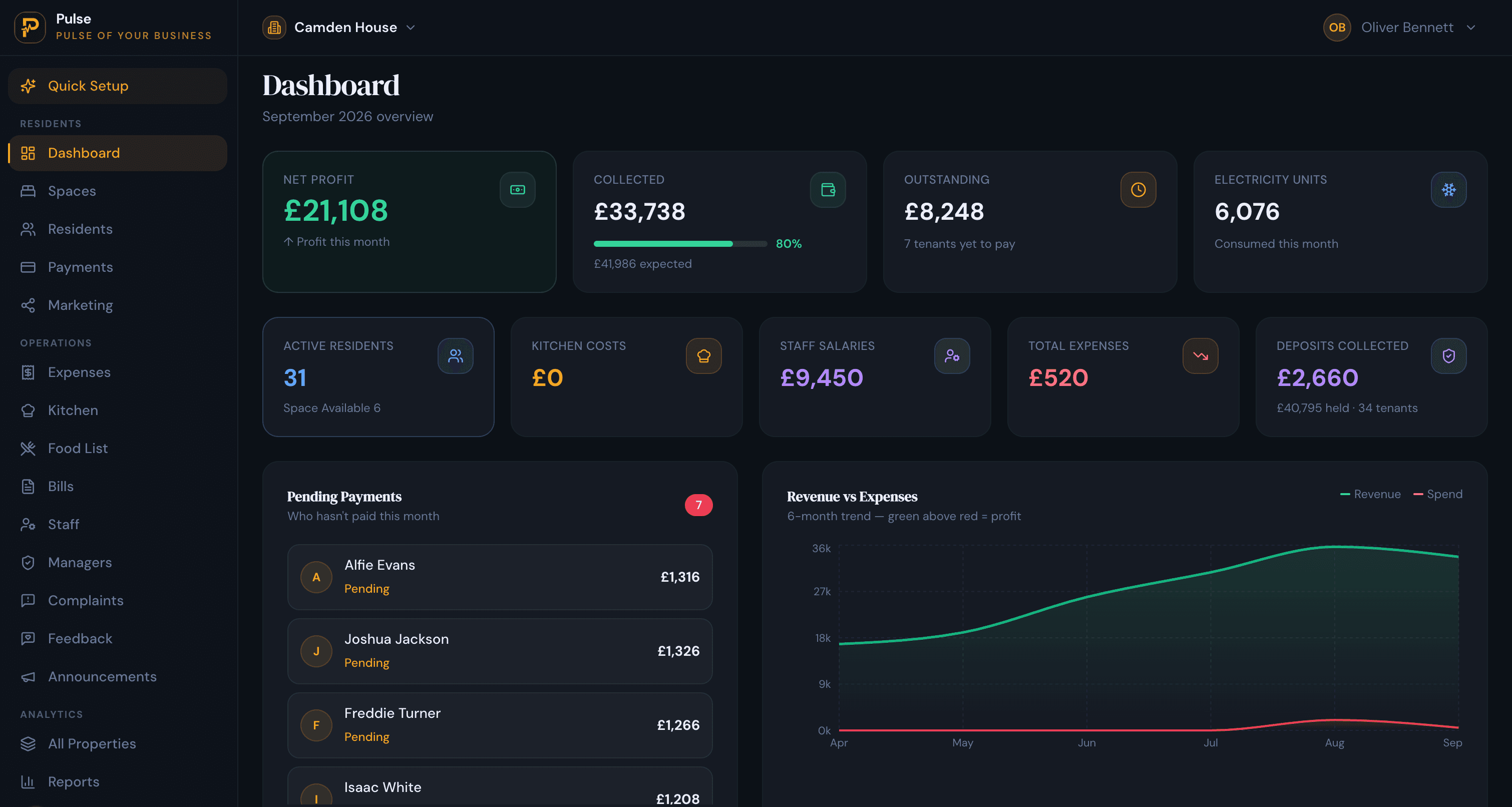
Running a hostel well comes down to three things kept straight: who is in which bed, what each person owes, and what has been paid. Get those into one system instead of a notebook and a pile of chat messages, and a single person can run a busy hostel without the end-of-month scramble. This guide walks through setting a hostel up and running it day to day, and where software earns its place.
It is written for owner-operators: people who let beds to students or working guests, by the night or by the month, and often run more than one place. The order below is roughly the order you meet each job, from building the rooms to collecting the rent to keeping residents happy.
Set up the building: floors, rooms and beds
A hostel is let by the bed, so model it that way: floors, then rooms, then the beds in each room. A four-bed room with three guests reads as three-quarters full, not as one occupied unit. Keeping occupancy at bed level is the single thing that stops double-booking and lets you see, at a glance, exactly how many beds are free tonight and this month. Good software keeps this true automatically, so a bed cannot be filled twice or a room deleted while someone is in it.
Price it: seater rates, packages and meals
Set a rate once per seat count and condition, for example a bed in a six-share versus a four-share, with or without air conditioning, and every matching room prices itself. Then decide what a bed includes. Many hostels sell the bed alone, and others bundle food, so meals are worth handling as their own add-on: breakfast, lunch and dinner priced individually or as a package, flagged on the resident’s bill. Deciding this once, up front, saves arguments later.
Fill the beds: your own page and applications
Before paying commission to a listing site, give the hostel its own public page: cover photo, amenities, room cards with live availability and real prices, and a way to message you or apply. When availability updates itself as guests move in and out, the page is never wrong, and enquiries come straight to you. Walk-ins, an online application form and a waiting list for busy periods should all land as one resident record, so nobody is retyped.
Take people in: admissions, deposits and documents
Each resident becomes one record: ID and photo, phone, an emergency or guardian contact, their room and bed, their package, and any deposit. Upload their documents against the record so they are not in a drawer. A deposit is tracked and settled at check-out against any final dues. Keeping this as one timeline per stay, rather than scattered notes, is what makes a dispute months later a thirty-second look-up.
Bill and collect: one bill, part-payments, receipts
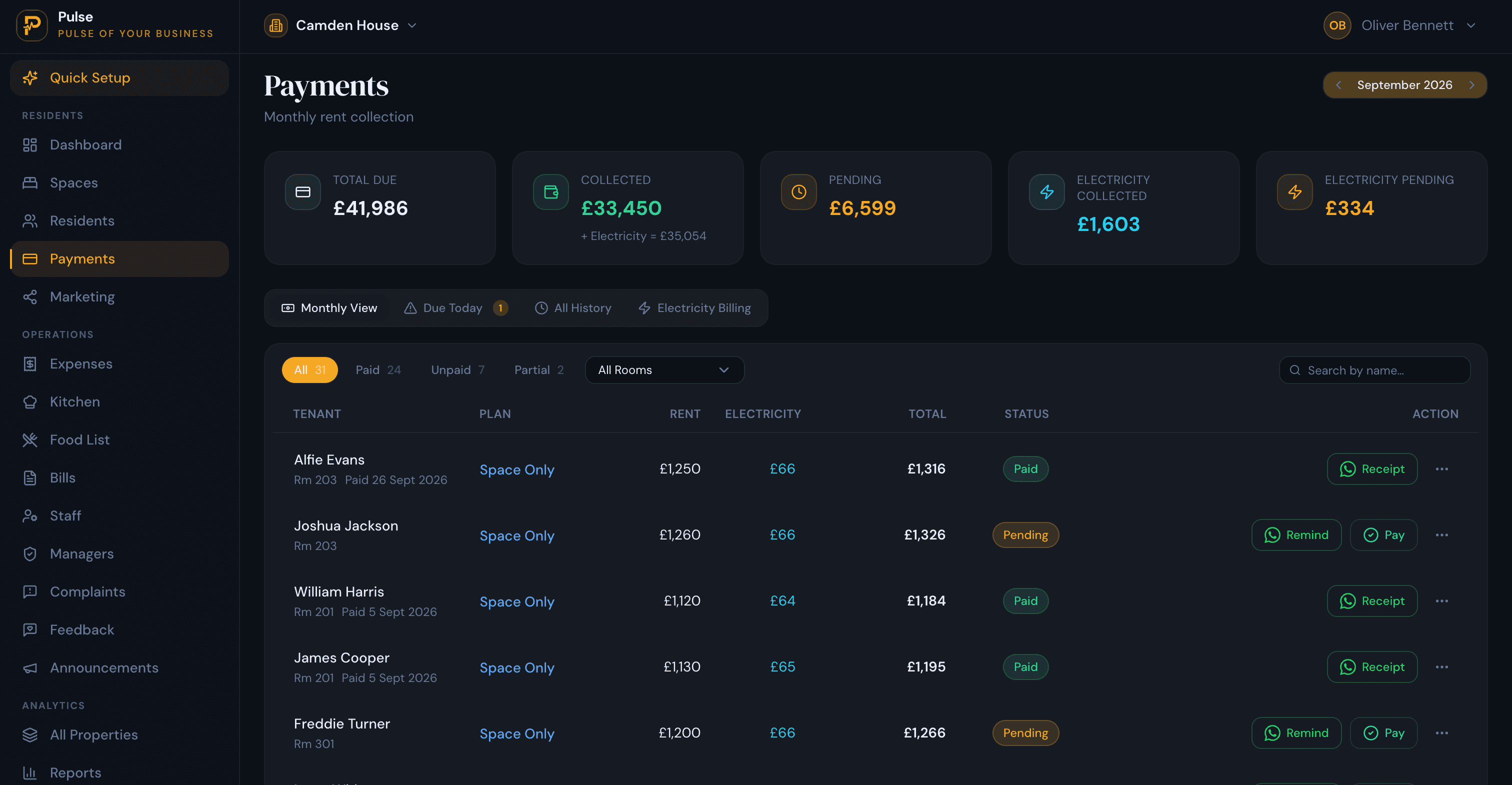
This is where most hostels lose money quietly. Put everything a resident owes on one bill: rent, any meals, metered electricity and recurring charges. Rent rarely arrives in one piece, so record part-payments as instalments, each with its own date and a numbered receipt, and carry the balance forward as one running figure rather than counting it twice. A receipt that goes out the moment you record a payment, shareable on WhatsApp, ends the “but I paid you” conversation before it starts.
Automatic reminders do the chasing for you: a message when rent is due and a gentle nudge when it is late, so you are not the one sending awkward texts every week.
Run the money side: electricity, kitchen, staff and reports
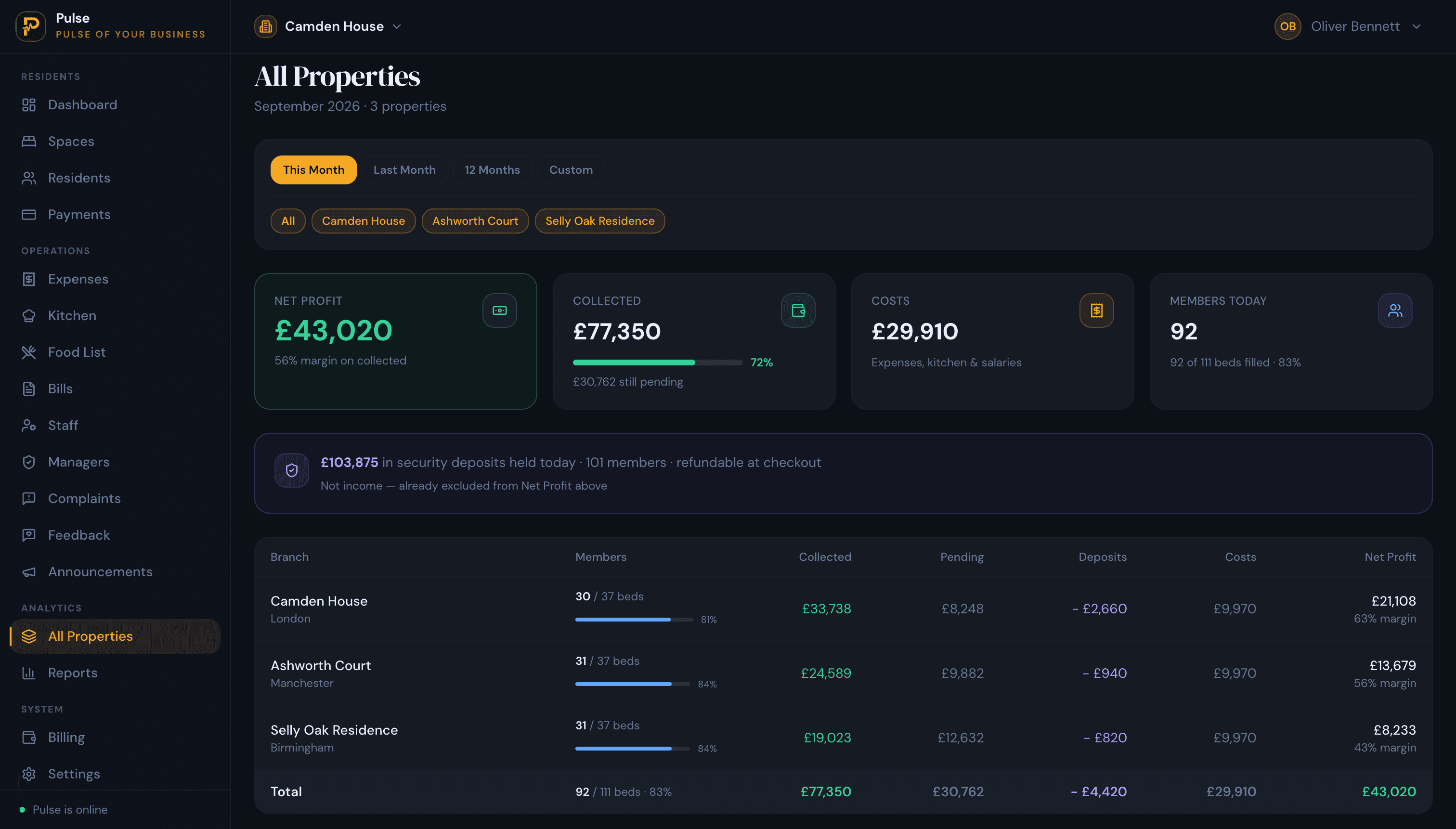
The costs that eat a hostel’s margin are the ones nobody totals. Split metered electricity between the residents on a meter by their join dates, not a flat share. Record kitchen spend so you know the real cost per person per meal. Keep staff wages and any salary advances in one place. Then a dashboard shows collected, outstanding, occupancy and profit for the month, and a portfolio view compares every hostel if you run more than one.
Keep residents happy: complaints and feedback
A simple way to raise an issue keeps a small problem from becoming a bad review. A QR code or short code on the wall lets a resident log a complaint that lands in your list with a status, with no app for them to install. A private feedback link after check-out tells you what to fix, without it becoming a public star rating you cannot control.
Management software vs booking software
These two get confused, and it matters. A booking system or online travel agent lists your rooms and takes reservations; it fills beds but does not run your money, your residents or your costs. A management system runs the operation behind the beds: occupancy, one bill per resident, part-payments and receipts, electricity and kitchen costs, staff and reporting. Most hostels need the management side first, because that is where the money is kept straight, and can add distribution later.
PulseHub is the management side. It bills by the night or by the month, keeps occupancy true down to the bed, gives each hostel a free public page with live availability, and rolls every hostel into one view. One honest boundary: it is not a channel manager and does not push your rooms to Hostelworld or Booking.com, and it records payments rather than collecting them as a gateway. If OTA distribution is central to how you fill beds, pair a channel manager with PulseHub for the operations and the money. New to the category? Read what a property management system is, or see the product for a single market, such as Nigeria or Pakistan.
In short
Run a hostel on three things kept straight: who is in which bed, what they owe, and what they have paid. Model the building down to the bed, put everything on one bill per resident with part-payments and receipts, fill beds from your own page, and total the costs most operators miss. A management system does that; a booking site does not.